50 Gaming Bedroom Ideas

This post may contain affiliate links: full affiliate disclosure.
Creating a gaming bedroom requires a balance between high-tech hardware and a restful sleep environment. A well-designed space uses smart lighting, organized furniture, and soft textures to keep the room functional and stylish.
These ideas show how to integrate a powerful setup without losing the comfort of a bedroom.
Modern Gaming Bedroom Ideas
1. Clean Black Gaming Bedroom
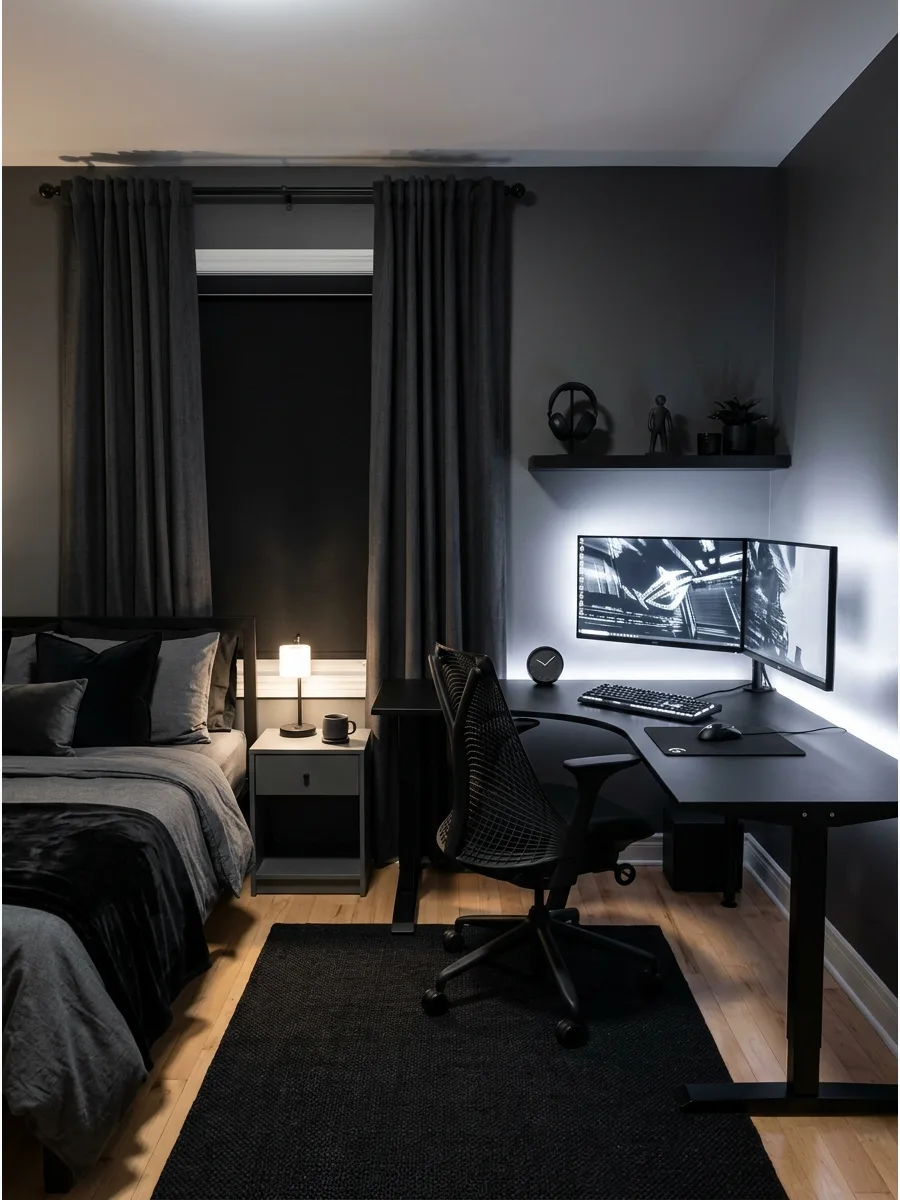
Black furniture creates a sophisticated backdrop that makes high-quality screens pop. Pair a dark desk with matte black accessories and soft LED backlighting to keep the space from feeling like a cave.
Use different textures like a velvet chair or a woven rug to add depth to the dark palette. A mature look relies on intentional contrast rather than just a single shade of ink.
- Sourcing black laminate or powder-coated metal desks for a durable and sleek finish.
- Position the desk against a dark accent wall to create a seamless and immersive zone.
- Use matte finishes instead of glossy ones to reduce distracting reflections and fingerprints.
- Swap standard plastic cable ties for black velcro straps to keep the dark aesthetic seamless.
Quick win: Swap standard plastic cable ties for black velcro straps to keep the dark aesthetic seamless.
2. Minimal White Gaming Setup
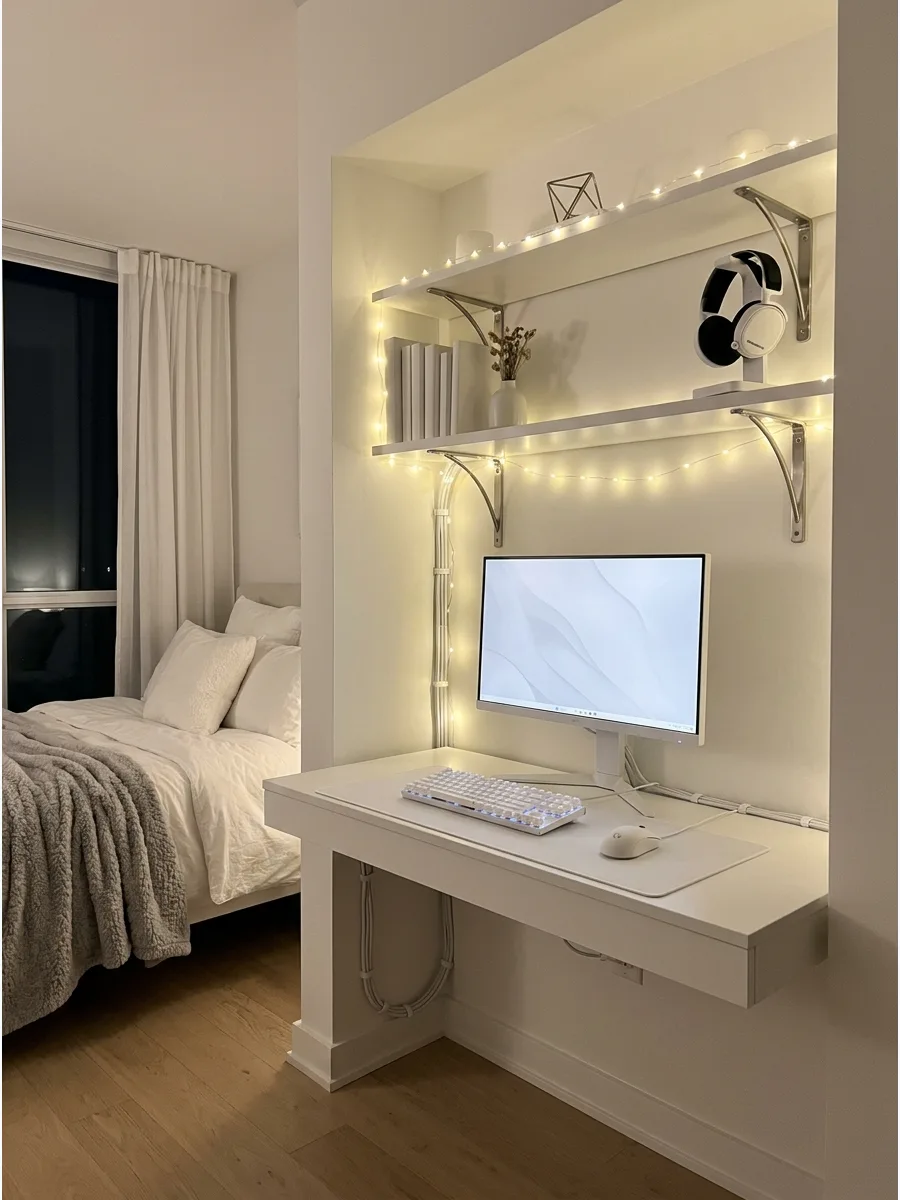
A white desk and matching shelves brighten a room and make the technology feel less intrusive. This style works best with soft ambient lighting to prevent the space from looking too clinical.
Choose white cable sleeves and peripherals to maintain a monochromatic, airy feel. It keeps the focus on the game without the visual weight of heavy furniture.
- Budget-friendly white modular shelving units from big-box retailers.
- Place the desk near a window to take advantage of natural light during the day.
- Use white cord organizers to hide dark power cables against the light furniture.
- Use a white desk mat to protect the surface and keep the clean look consistent.
Best shortcut: Use a white desk mat to protect the surface and keep the clean look consistent.
3. Warm Neutral Gaming Bedroom
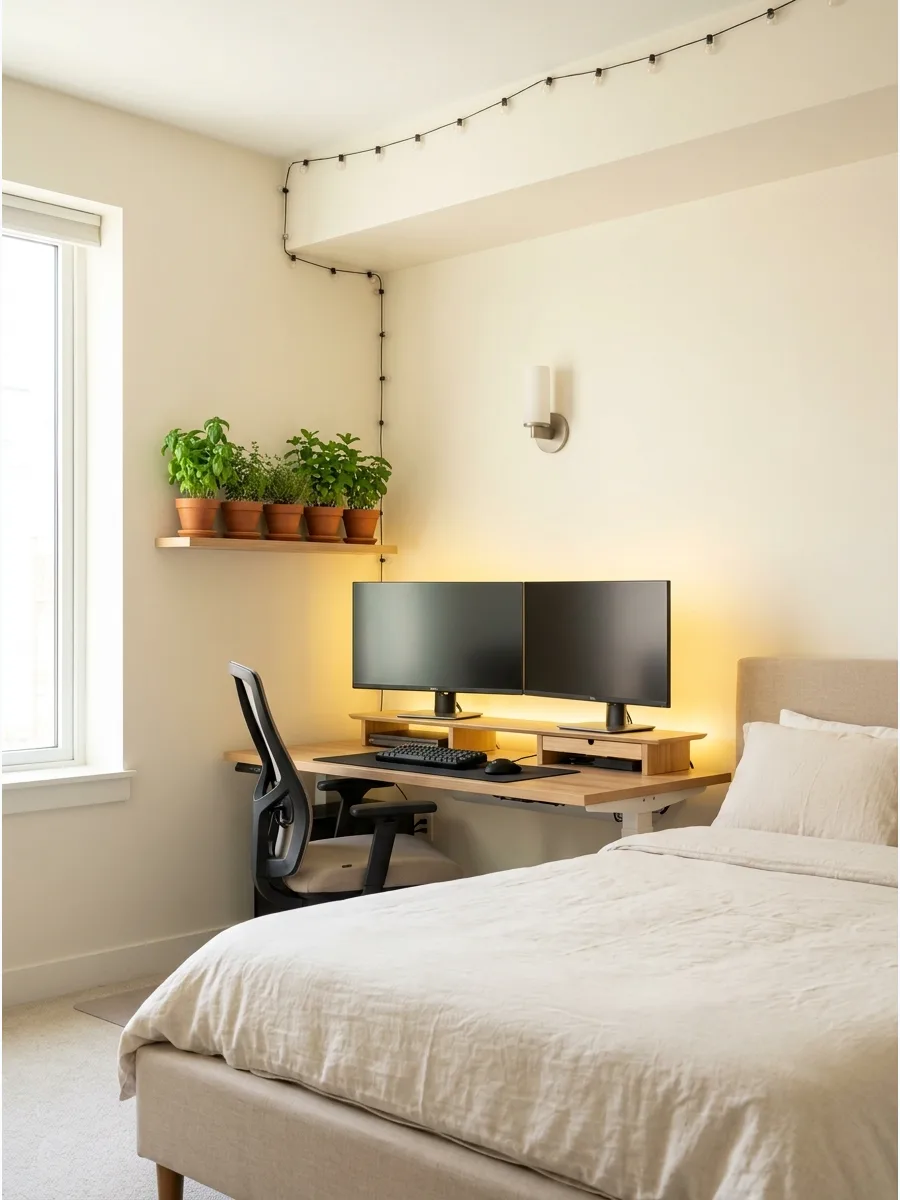
Combining beige walls with light wood furniture bridges the gap between a tech hub and a sleep sanctuary. Subtle LED lighting in warm tones prevents the equipment from feeling cold or out of place.
Incorporate a linen duvet cover and wooden monitor stands to ground the electronic elements. This approach ensures the bedroom remains a place for rest as much as for play.
- Natural oak or maple furniture pieces for a warm, organic feel.
- Center the bed and place the desk in a dedicated alcove or corner.
- Add a jute rug to soften the transition between the sleep and play zones.
- Warm 2700K LED strips are better for sleep-friendly bedroom environments than bright white lights.
Most people skip this: Warm 2700K LED strips are better for sleep-friendly bedroom environments than bright white lights.
4. Gray and Black Gaming Room
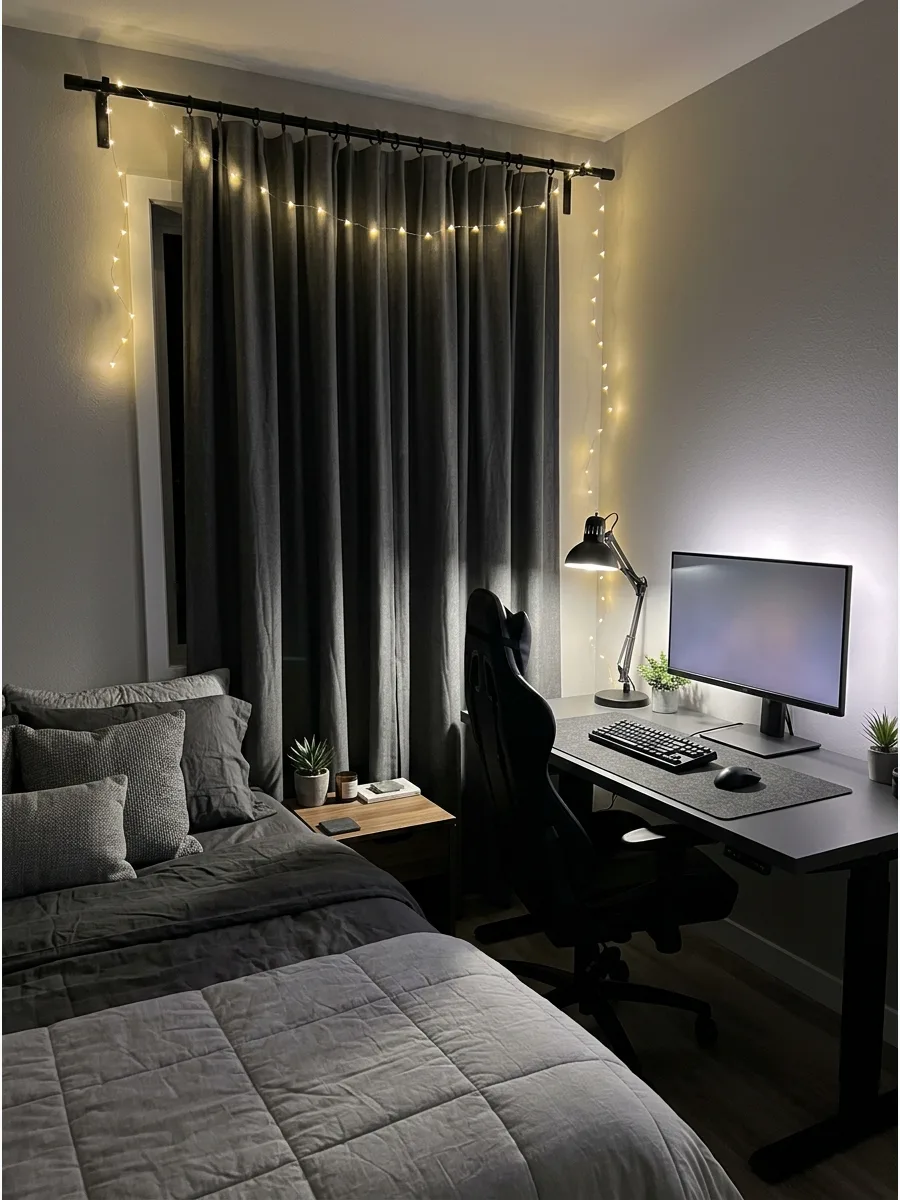
Gray bedding and black desk accessories create a balanced, masculine vibe that is easy to maintain. A simple monitor setup on a charcoal desk keeps the room looking organized and sharp.
Layer different shades of gray across the bed and curtains to add visual interest without adding color. It is a foolproof way to make a gaming setup look high-end on a budget.
- Gray linen or cotton bedding sets for a soft but modern texture.
- Position the desk perpendicular to the bed to clearly separate the sleep and gaming zones.
- Use black metal wall hooks to keep headsets and controllers organized and off the desk.
- A gray felt desk mat adds texture and keeps the keyboard from sliding during use.
Quick win: A gray felt desk mat adds texture and keeps the keyboard from sliding during use.
5. Organic Modern Gaming Bedroom
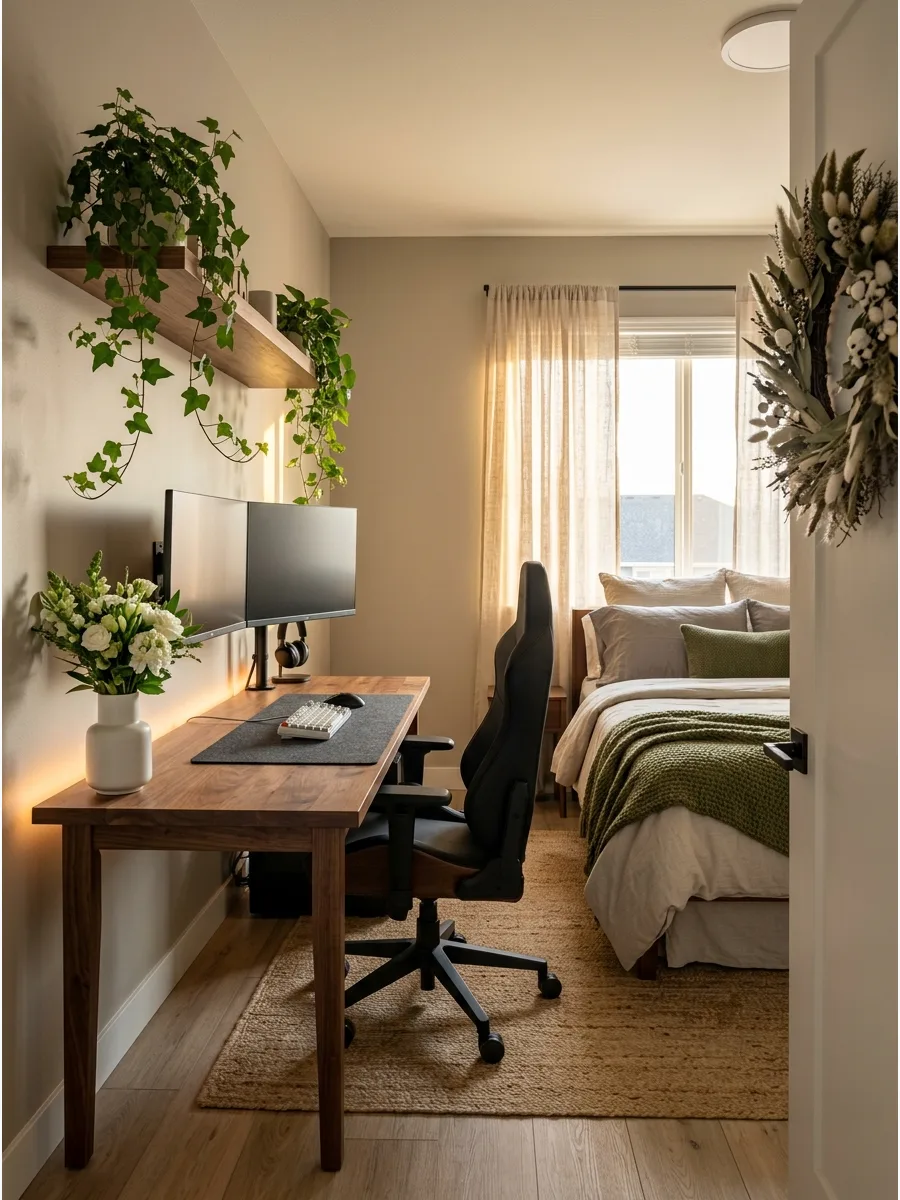
Blend wood tones and neutral bedding with leafy plants to soften the hard edges of a PC setup.
Hidden lighting behind the desk creates a glow that feels intentional rather than distracting. Mount monitors on the wall to clear up desk space for small decorative items or greenery. This style makes the technology feel like a part of the decor rather than a separate entity.
- Reclaimed wood or walnut finish furniture for an earthy, high-end look.
- Install wall mounts for monitors to maximize the usable surface area of the desk.
- Choose low-light indoor plants like Pothos or Snake plants that thrive near tech gear.
- Use wireless peripherals to reduce the 'tech' look and lean into the organic vibe.
Best shortcut: Use wireless peripherals to reduce the 'tech' look and lean into the organic vibe.
6. Matte Black Desk Setup
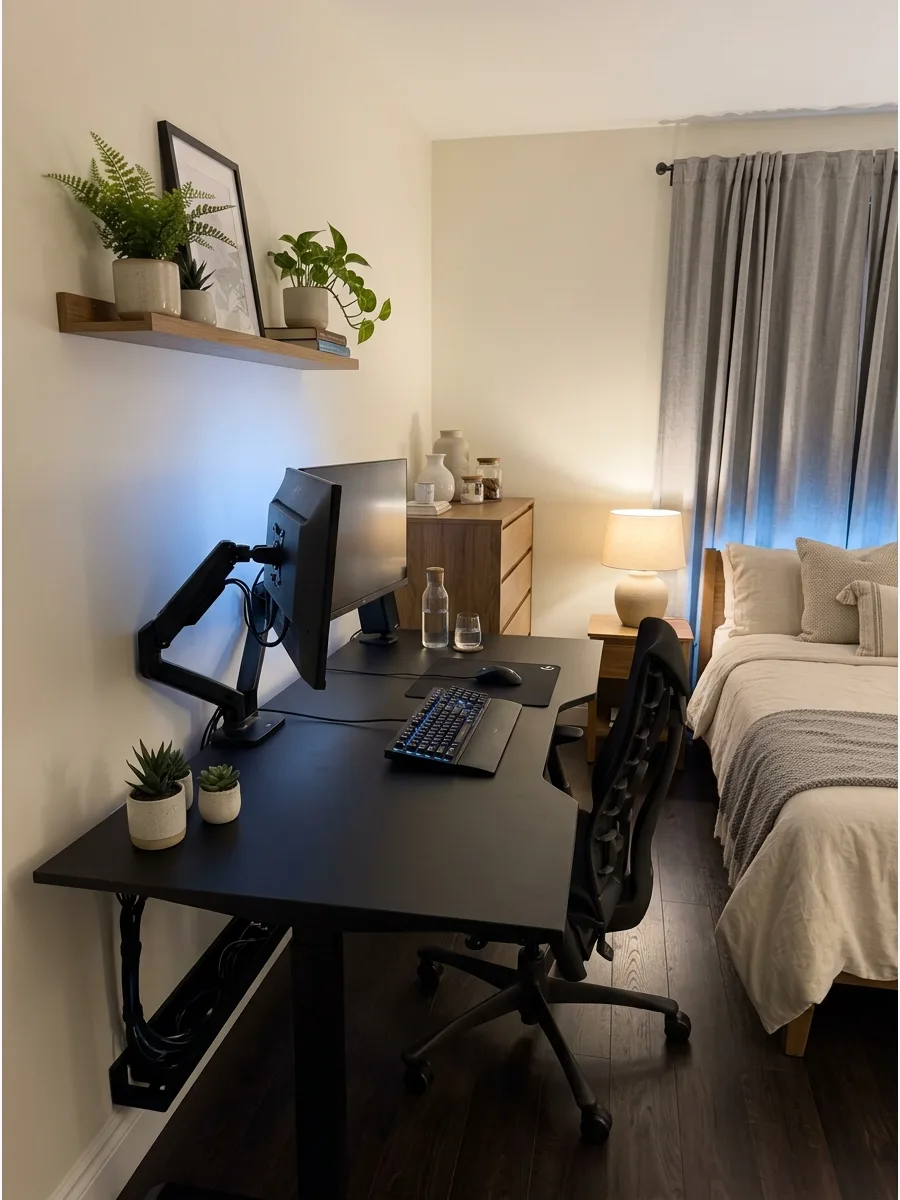
A matte black desk provides a sleek, non-reflective surface that looks great under controlled lighting. Use black monitor arms to lift screens and create a more professional, organized corner.
Route all cables through a dedicated tray under the desk to keep the lines sharp and clean. Matte finishes are superior to gloss because they do not show every speck of dust or fingerprint.
- Powder-coated steel or matte laminate desks for a scratch-resistant surface.
- Set up the desk in a corner to define the gaming zone within a multi-use bedroom.
- Install a cable management tray underneath the desk surface to hide power bricks.
- Use a microfiber cloth specifically for matte surfaces to prevent oily streaks.
Most people skip this: Use a microfiber cloth specifically for matte surfaces to prevent oily streaks.
7. Luxury Dark Gaming Bedroom
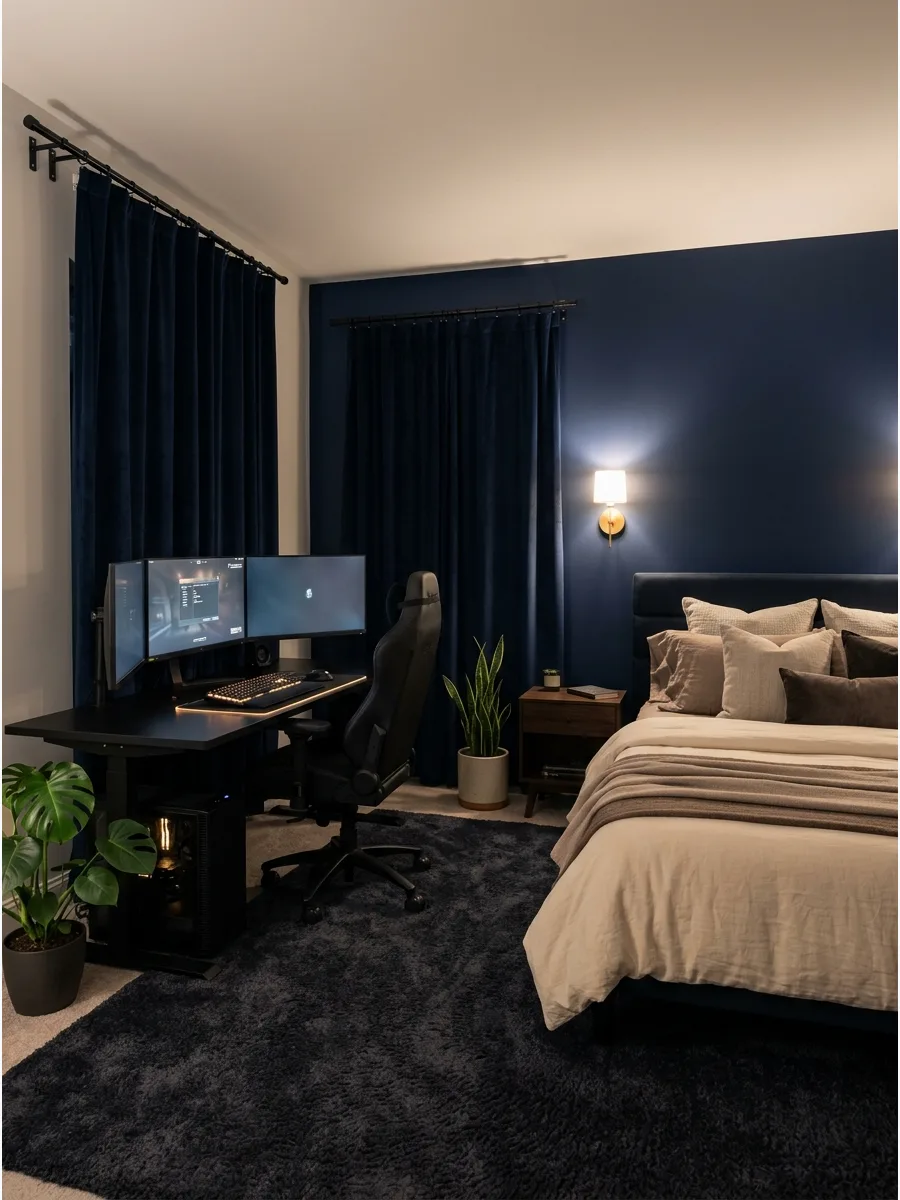
Dark walls and layered bedding create a high-end, cinematic atmosphere for late-night sessions. A large, sturdy desk and soft wall sconces add a touch of sophistication that standard gaming setups lack.
Install velvet blackout curtains to control light and improve the room's acoustics. High-end gaming rooms focus on the tactile experience as much as the frame rate.
- High-thread-count bedding in dark tones for a premium hotel feel.
- Place the desk on the longest wall to give the setup a grander, more intentional presence.
- Add a plush area rug to dampen sound and add a layer of luxury to the floor.
- Dimmable wall sconces provide better mood lighting than a single overhead fixture.
Quick win: Dimmable wall sconces provide better mood lighting than a single overhead fixture.
8. Soft Beige Gaming Room
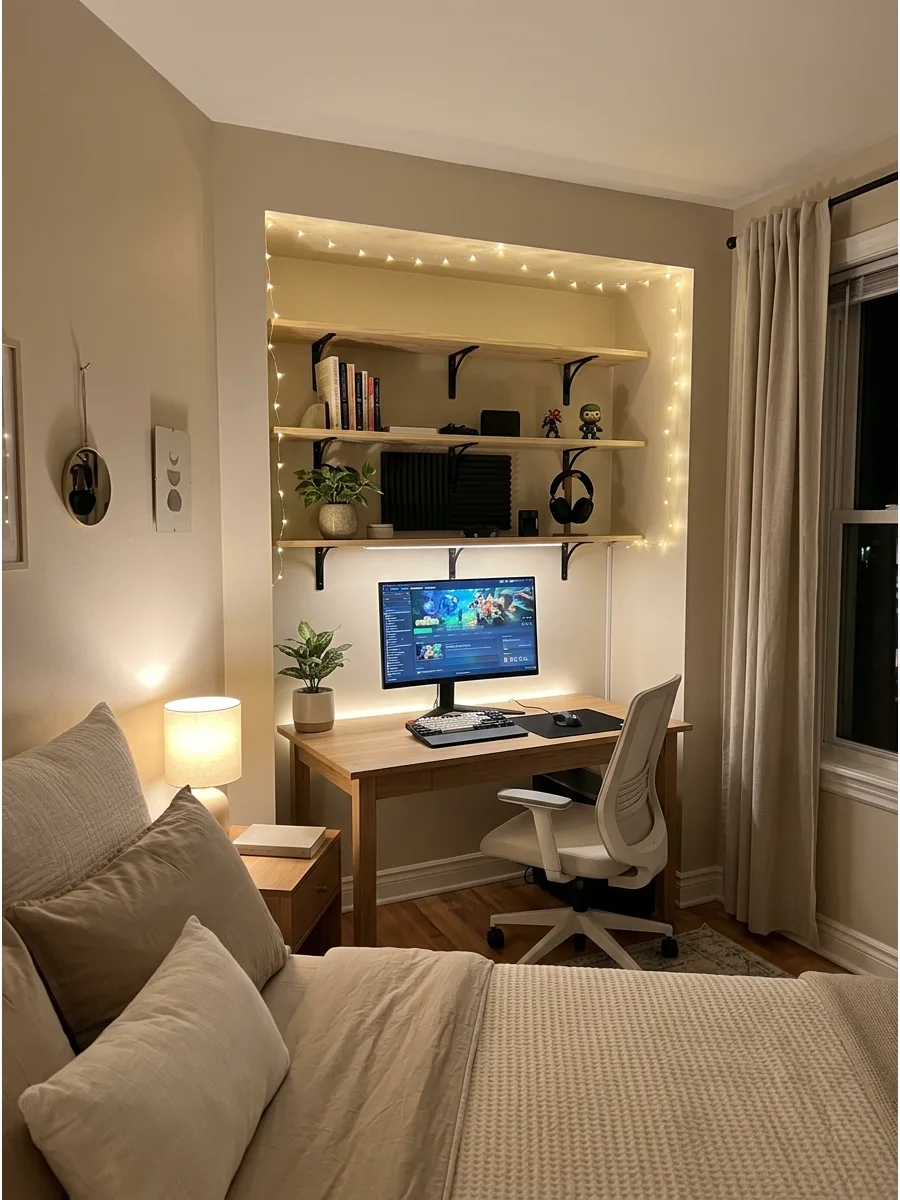
Keep the room light and airy by using beige walls and cream bedding near the gaming zone. Wood shelves and warm lighting around the desk help the hardware blend into a cozy, residential environment.
Choose a light-colored ergonomic chair to avoid the heavy look of traditional black gaming chairs. It is the perfect solution for smaller bedrooms that need to feel spacious.
- Light-toned wood furniture like birch or ash for a Scandinavian-inspired look.
- Position the desk against the lightest wall to bounce light and brighten the workspace.
- Use cream-colored storage bins to hide controllers and extra cables when not in use.
- Swap a bulky gaming chair for a sleek white ergonomic task chair for a lighter look.
Best shortcut: Swap a bulky gaming chair for a sleek white ergonomic task chair for a lighter look.
LED Lighting Gaming Bedroom Ideas
9. RGB LED Gaming Wall
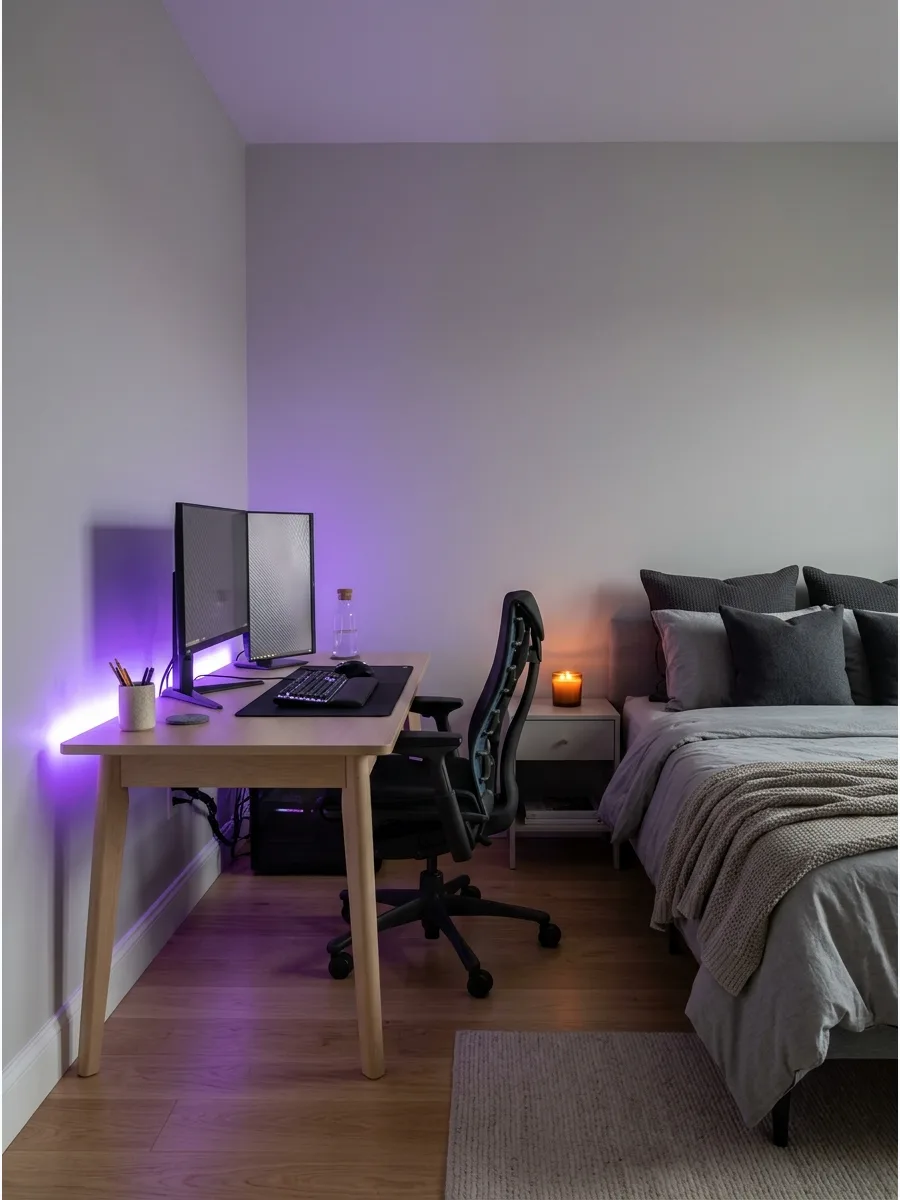
Adding LED strips behind the desk or headboard creates a powerful mood without cluttering the floor. This indirect lighting makes the room feel larger and adds a futuristic glow to the walls.
Sync the light colors to your screen content for a more immersive gaming experience. It is the most cost-effective way to transform a standard bedroom into a gaming hub.
- Smart LED strips with app control for millions of color options.
- Apply strips to the back edge of the desk or the bed frame for a halo effect.
- Use plastic mounting clips to keep the light strips from sagging over time.
- Point the LEDs toward the wall, not toward your eyes, to avoid harsh hot spots.
Most people skip this: Point the LEDs toward the wall, not toward your eyes, to avoid harsh hot spots.
10. Backlit Monitor Setup
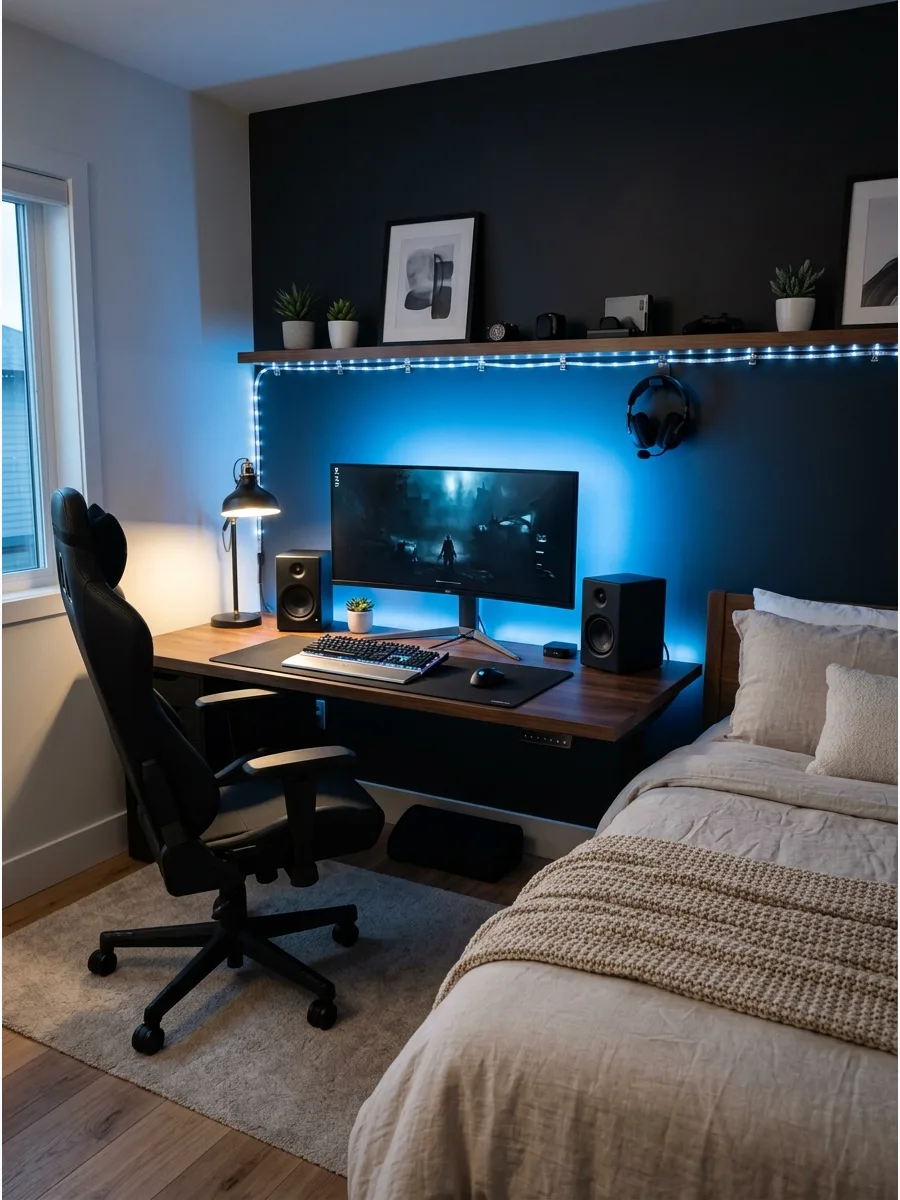
Placing soft LED lights directly behind the monitor reduces eye strain by softening the contrast between the screen and the wall. This trick makes the desk area look more polished and professional during evening use.
Select a warm white or soft blue hue to keep the bedroom environment relaxing. It is a simple upgrade that significantly improves the visual comfort of the space.
- USB-powered LED bias lighting kits that are easy to install.
- Attach the light strip to the back perimeter of the monitor for even light distribution.
- Plug the lights into the monitor's USB port so they turn on and off with the screen.
- Use a bias lighting kit that matches the color temperature of your screen for the best eye relief.
Quick win: Use a bias lighting kit that matches the color temperature of your screen for the best eye relief.
11. LED Strip Under Bed
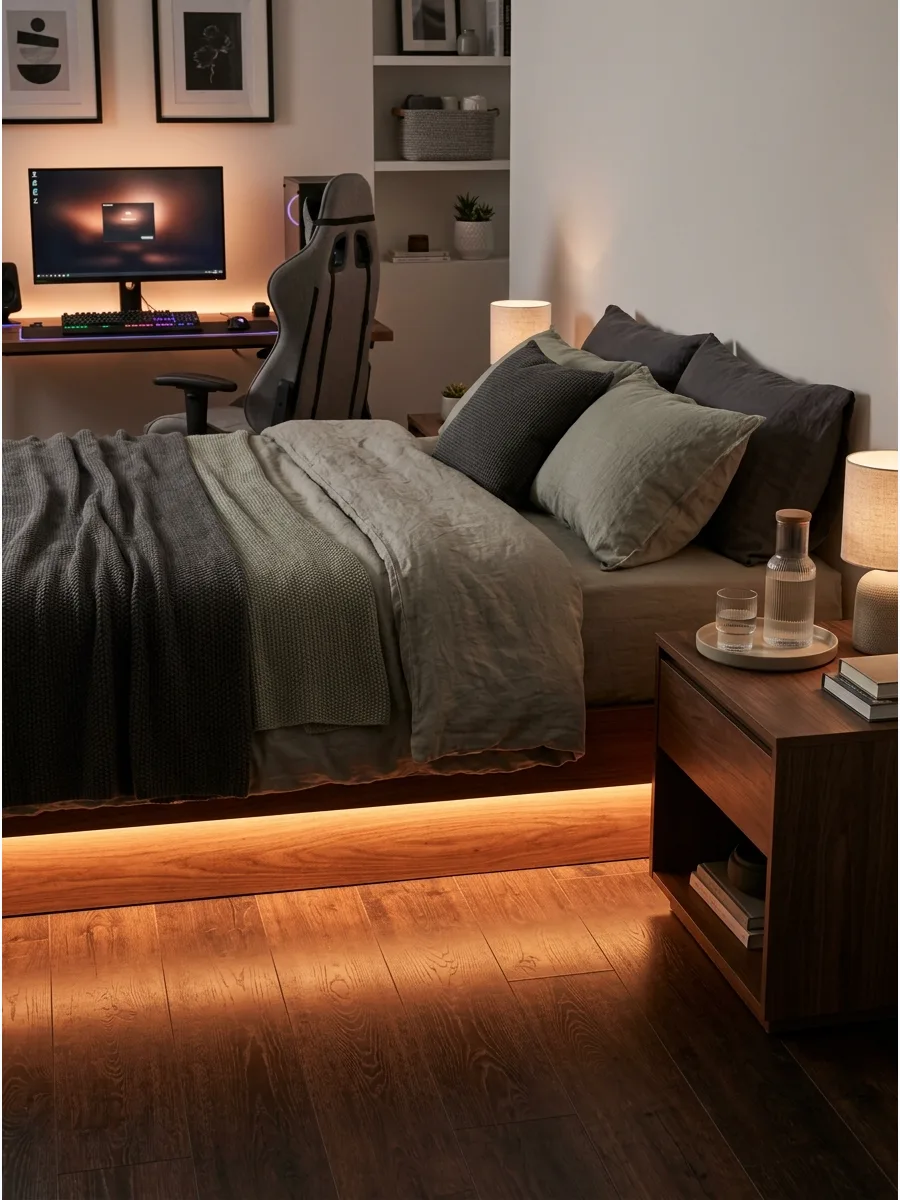
Hidden LED lighting under the bed frame creates a floating effect that serves as both a nightlight and a style statement. This adds a modern, high-tech vibe to the sleeping area that matches the energy of a gaming setup.
Set the lights to a low brightness to provide a soft glow that doesn't disrupt sleep. It helps tie the two halves of the room together into one cohesive design.
- Dust-proof LED strips are best for floor proximity to ensure longevity.
- Adhere the strip to the inner recessed frame of the bed to hide the light source.
- Use a motion sensor so the lights act as a smart nightlight when you step out of bed.
- Use a motion-activated sensor so the lights only turn on when you step out of bed at night.
Best shortcut: Use a motion-activated sensor so the lights only turn on when you step out of bed at night.
12. Wall Hexagon Light Panels
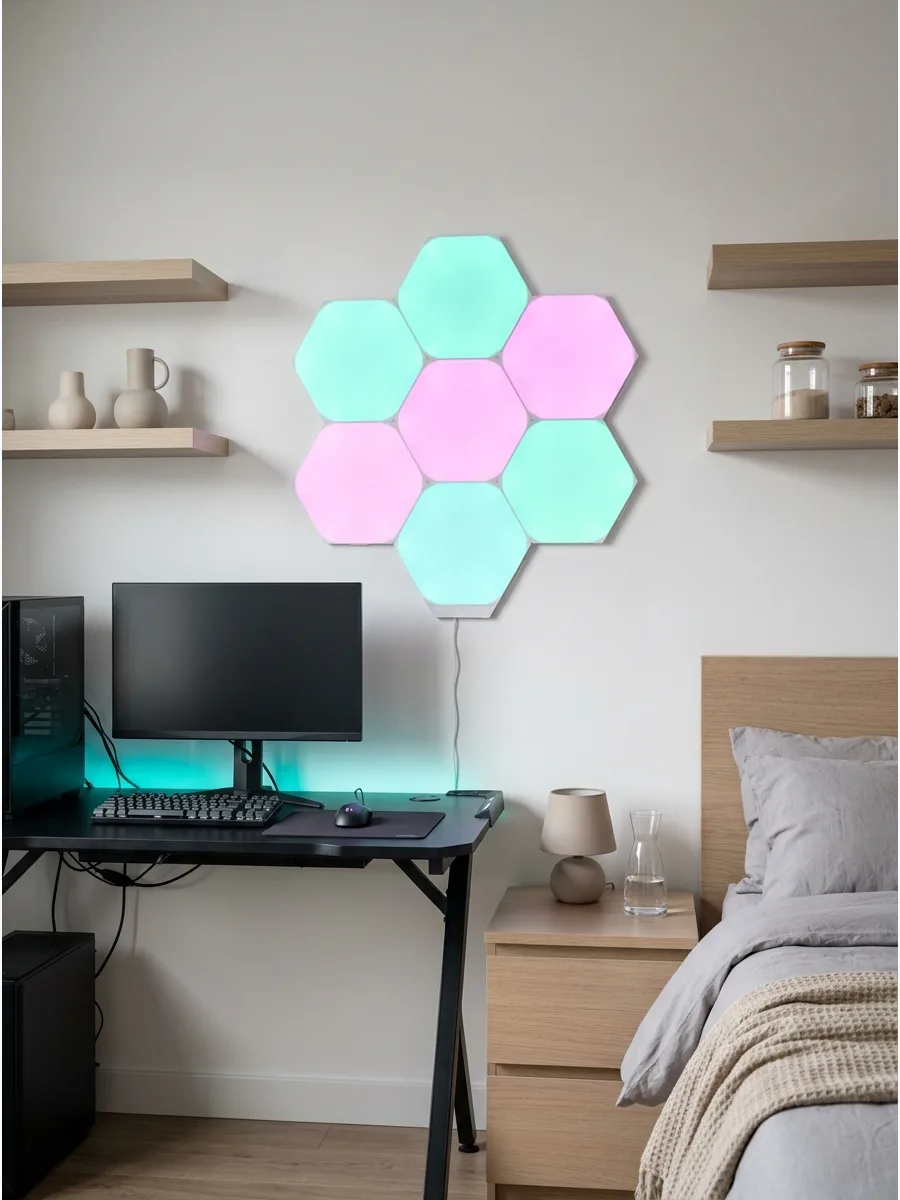
Hexagon LED panels above the desk act as both a light source and a piece of geometric wall art. They provide a futuristic look that is synonymous with modern gaming culture.
Arrange the panels in an asymmetrical pattern to create a unique focal point on the wall. These panels are bright enough to act as the primary light source for the desk area.
- Modular LED wall panels that can be expanded over time.
- Plan the layout on the floor before sticking the panels to the wall to ensure a good fit.
- Use heavy-duty command strips for easy removal and repositioning in rentals.
- Leave a small gap between the panels and the corner of the wall to allow the light to diffuse properly.
Most people skip this: Leave a small gap between the panels and the corner of the wall to allow the light to diffuse properly.
13. Soft Blue Gaming Lights
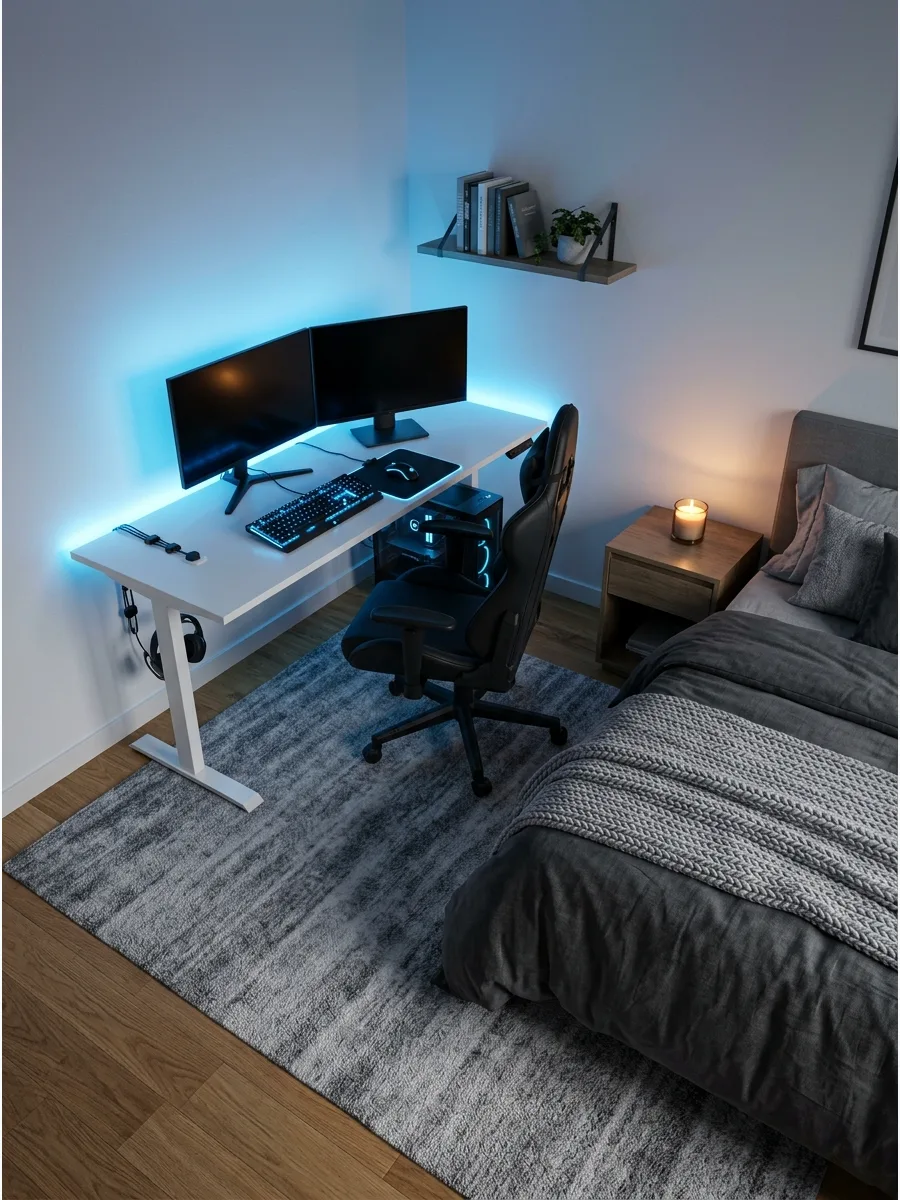
Blue lighting creates a cool, calm mood that is perfect for a bedroom environment. It pairs exceptionally well with black or white furniture, giving the room a clean and focused feel.
Combine blue LEDs with gray textiles to keep the room looking mature and intentional. It is a classic gaming color that doesn't feel as aggressive as red or green.
- Smart LED bulbs or strips that allow for precise color temperature control.
- Use blue as an accent color in corners or behind furniture rather than the main light.
- Balance the cool light with neutral-colored walls to prevent the room from feeling too cold.
- Use 'ice blue' rather than 'deep blue' for a brighter, more modern feel that isn't too dark.
Quick win: Use 'ice blue' rather than 'deep blue' for a brighter, more modern feel that isn't too dark.
14. Purple Gaming Bedroom Lights
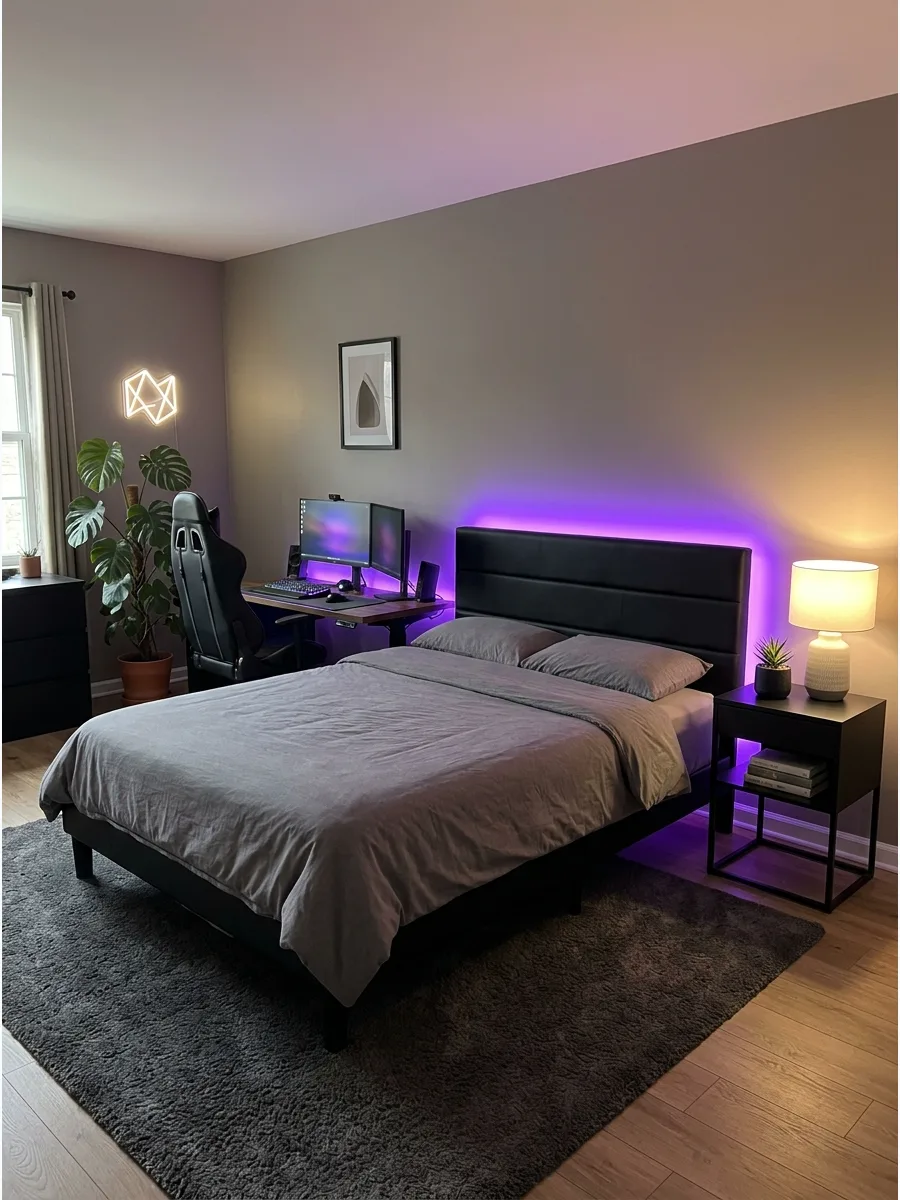
Purple lighting offers a cozy, artistic aesthetic that makes a gaming bedroom feel inviting. This color works beautifully with dark furniture and adds a sense of depth to the room at night.
Use purple light strips in combination with a few warm white lamps to keep the space functional. It creates a moody, relaxed atmosphere that is ideal for both gaming and winding down.
- RGB smart lighting systems for customizable purple and violet shades.
- Place lights behind the headboard or desk for a soft halo effect that hides the bulbs.
- Pair with black or dark wood furniture to make the purple hues pop more vividly.
- Combine purple and pink lights for a sunset-style gradient that looks professional.
Best shortcut: Combine purple and pink lights for a sunset-style gradient that looks professional.
15. Warm LED Gaming Setup
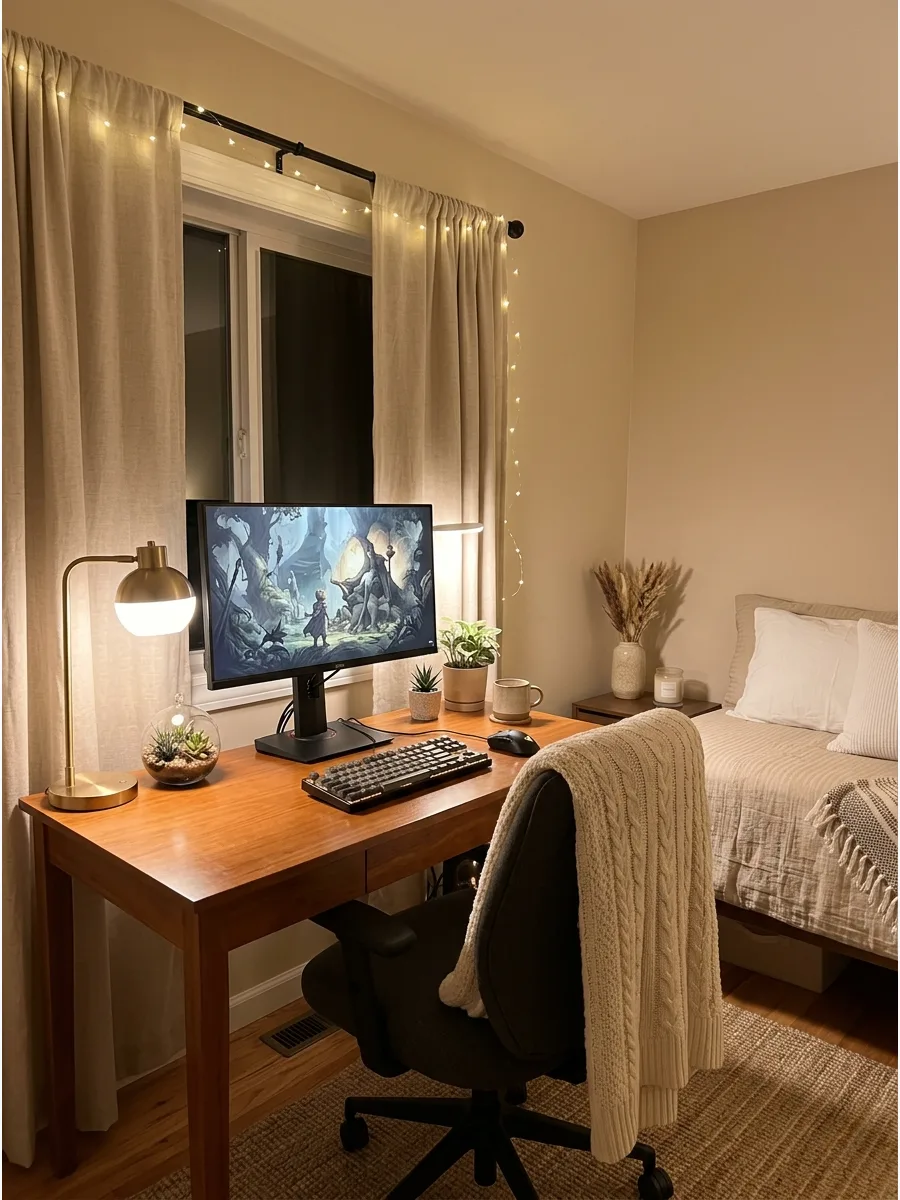
Using warm white lighting instead of traditional RGB makes a gaming bedroom feel more like a high-end home office.
This approach is much easier on the eyes and helps maintain a sleep-friendly environment. Install a dimmable warm LED desk lamp for task lighting that doesn't ruin the room's vibe. It is the best choice for those who want a gaming setup that looks sophisticated during the day.
- 2700K to 3000K warm white LED strips or bulbs for a cozy glow.
- Use a desk lamp with an adjustable neck to focus light exactly where you need it.
- Place a warm LED strip behind the monitor for a soft, natural backlight.
- Warm light helps the body produce melatonin better than the blue light from screens.
Most people skip this: Warm light helps the body produce melatonin better than the blue light from screens.
16. Neon Sign Above the Desk
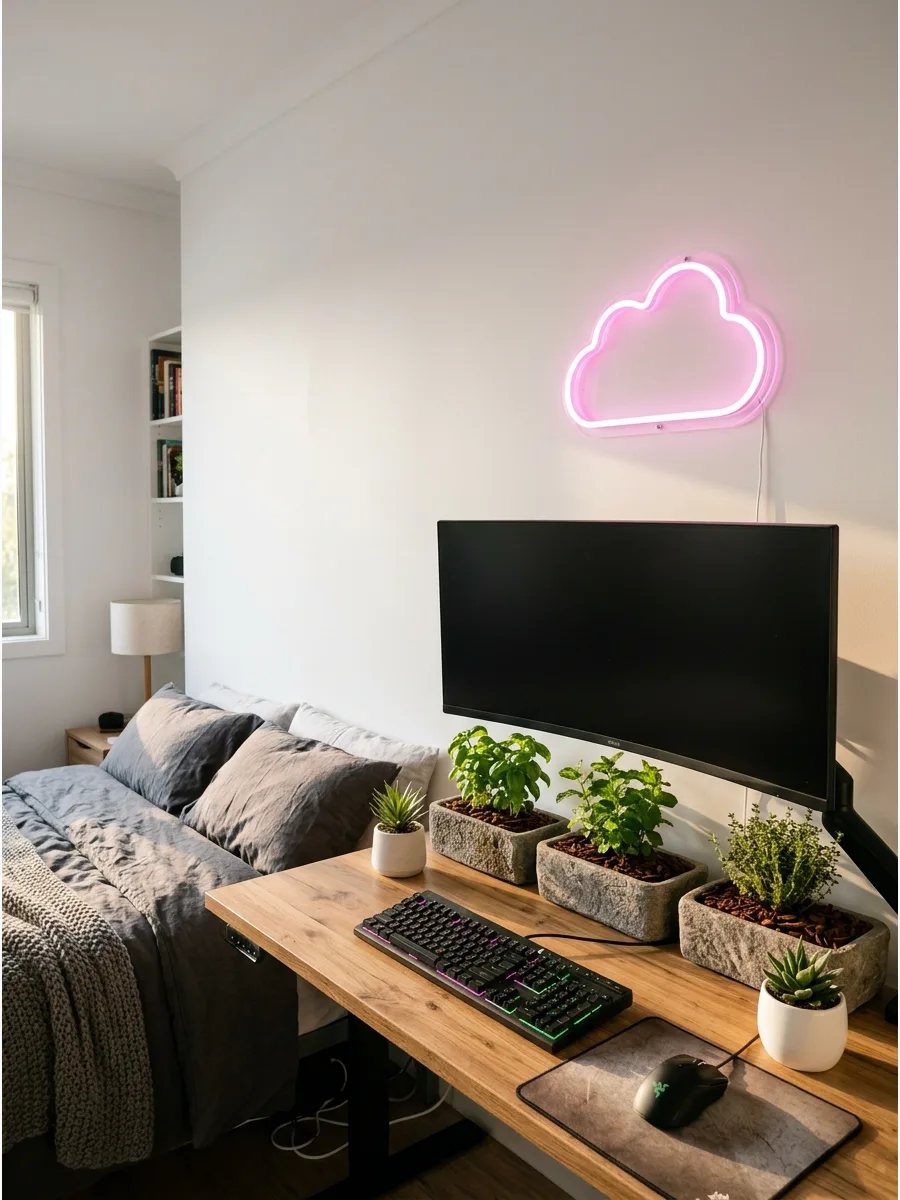
A single neon sign adds personality without cluttering the walls with too many posters or stickers. It provides a bright focal point that ties the tech setup into the rest of the room's decor.
Mount the sign at eye level when seated to ensure it balances the height of the monitor. Choosing a simple shape or a favorite word keeps the look intentional and mature.
- Custom neon signs typically range from $50 to $200 depending on size.
- Use clear adhesive hooks to mount the sign without damaging the drywall.
- Opt for a version with a dimmer switch to adjust the brightness for late-night gaming sessions.
Quick win: Use clear cord clips to run the power wire straight down the corner of the wall to make it nearly invisible.
17. Gaming Corner Bedroom Setup
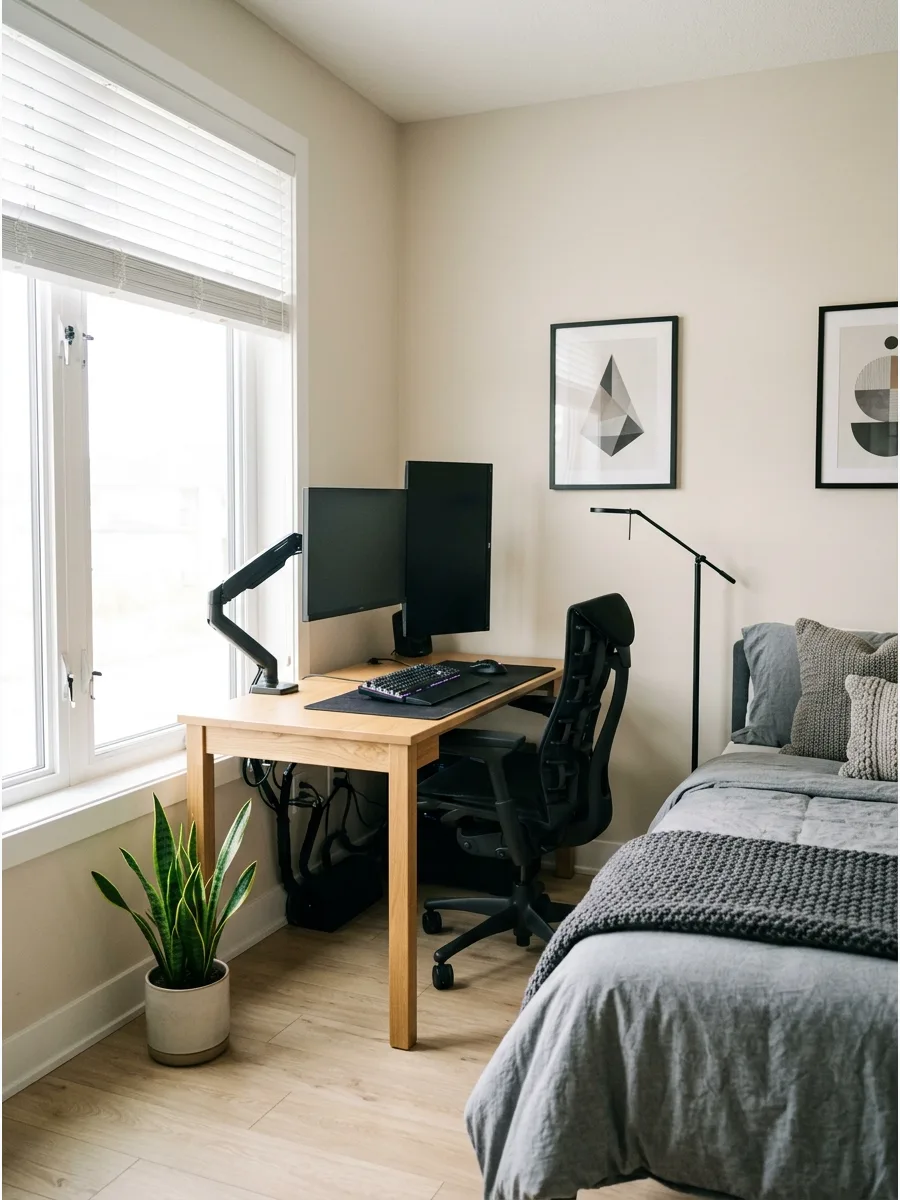
Tucking the desk into a corner preserves the flow of the room and separates the gaming zone from the sleep area. This layout prevents the hardware from dominating the entire bedroom space.
Angle the desk slightly toward the center of the room to create a more open feel while playing. This placement also makes it easier to hide messy cables behind the desk legs.
- Plan for a minimum 4-foot by 4-foot floor area to accommodate the chair and desk.
- Place the desk near a wall outlet to minimize the need for long extension cords.
- Use a small round rug under the chair to visually define the gaming zone from the rest of the floor.
Best shortcut: Position the desk perpendicular to a window to reduce screen glare during the day without needing heavy curtains.
18. Floating Desk Gaming Setup
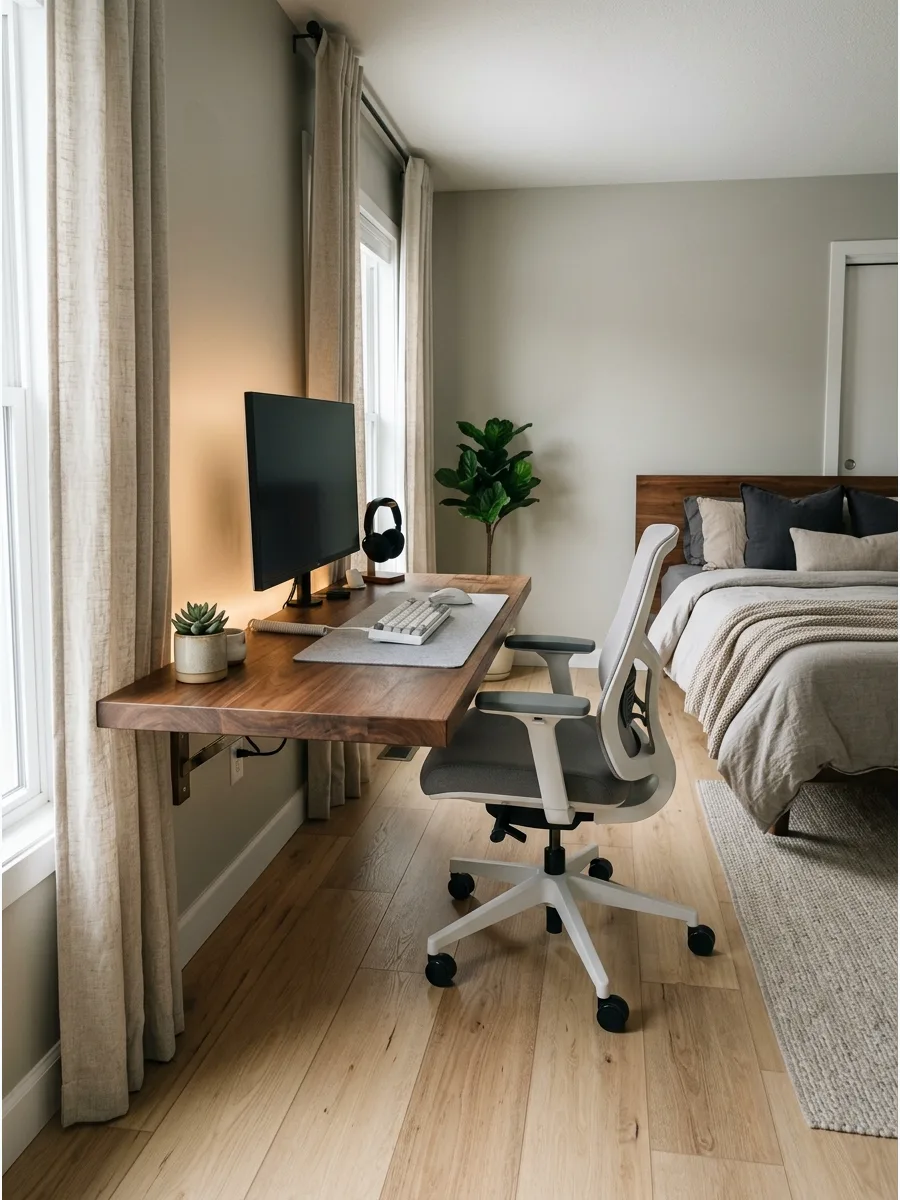
Wall-mounted desks are perfect for tight quarters where every inch of floor space counts. They create a light, airy look that makes a small bedroom feel much larger than it is.
Install the desk at a height that allows for proper ergonomics while sitting in a standard gaming chair. Without legs, the floor stays clear for easy vacuuming or for placing a small storage bin.
- Floating desks cost between $80 and $300 depending on the material and width.
- Secure the desk into at least two wall studs for maximum weight support for monitors.
- Choose a model with a built-in drawer to hide small accessories like USB drives and charging cables.
Most people skip this: Check the weight capacity of the wall brackets before mounting multiple heavy monitors to a floating surface.
19. Loft Bed With Gaming Desk
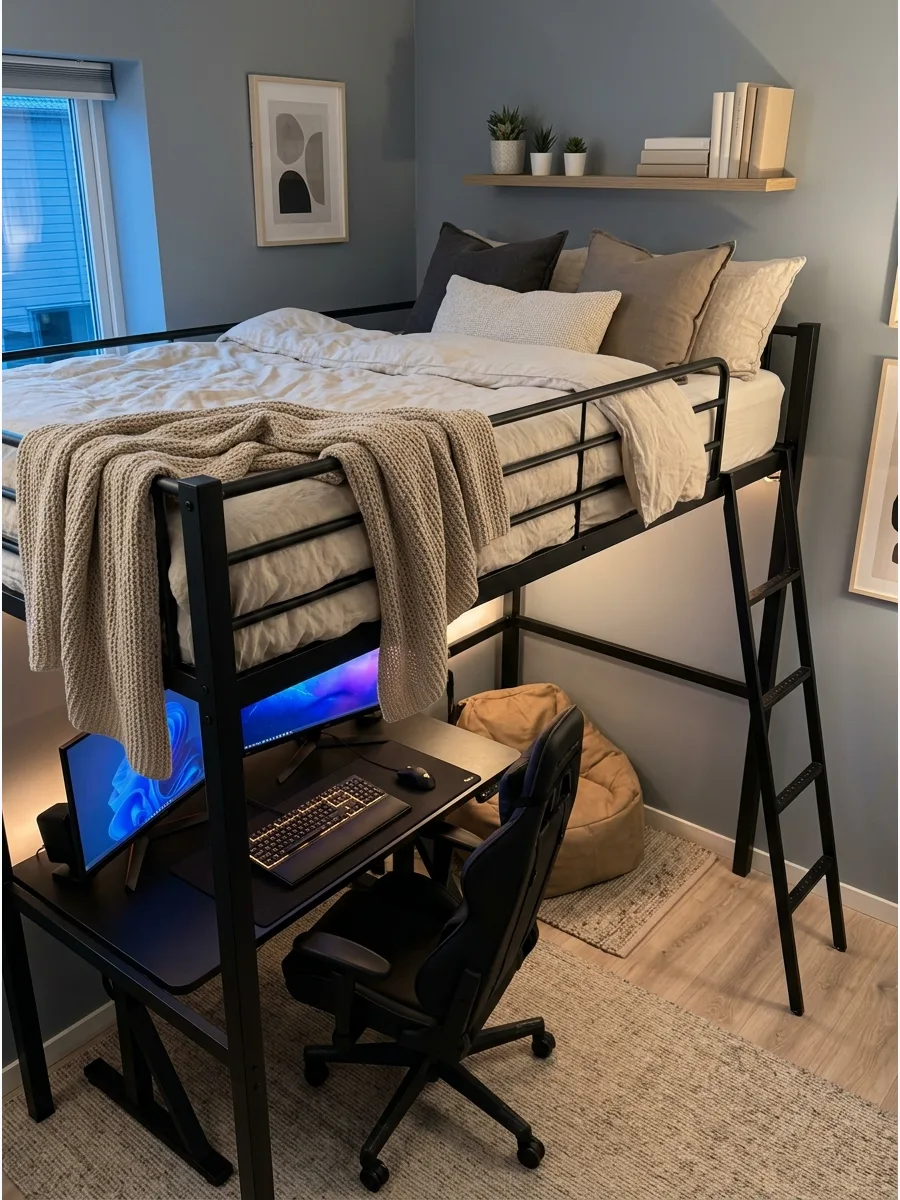
Placing the gaming setup underneath a loft bed maximizes vertical space in a small room.
This creates a dedicated 'cockpit' feel that is physically separate from the sleeping area above. Add a dedicated light source under the bed frame to prevent the desk area from feeling too dark or enclosed. It is an efficient way to fit a full setup into a tiny bedroom footprint.
- High-quality loft beds for adults range from $300 to $800.
- Ensure there is at least 3 feet of clearance between the desk surface and the bottom of the bed.
- Use felt pads on the bed legs to protect hardwood floors from shifting weight.
Quick win: Wrap battery-powered fairy lights around the bed frame for soft ambient light that doesn't require extra wall outlets.
20. Narrow Gaming Desk Setup
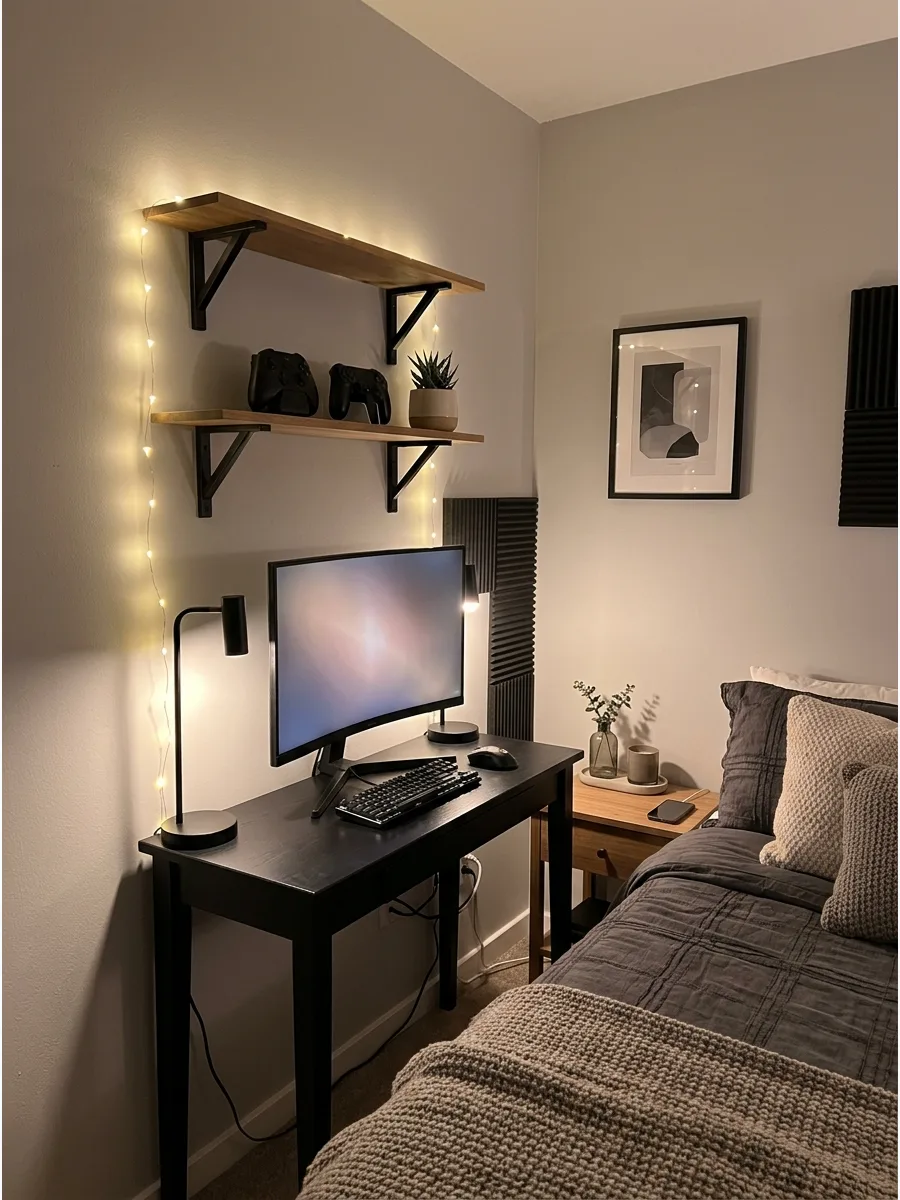
A slim desk allows for a high-performance setup even in narrow pathways or studio-style bedrooms.
Using vertical space above the desk compensates for the smaller surface area available for gear. Select a desk with a built-in hutch or shelves to keep the surface clear for the mouse and keyboard. This prevents the room from feeling cramped while still providing a functional workspace.
- Look for desks with a depth of 20 inches or less to maximize walking space.
- Use a monitor arm to lift the screen and reclaim desk space for other items.
- Store extra gear in a slim rolling cart nearby to keep the desk surface empty.
Best shortcut: Use a TKL (tenkeyless) keyboard to give the mouse more room to move on a narrow desk surface.
21. Wall Shelves Above Desk
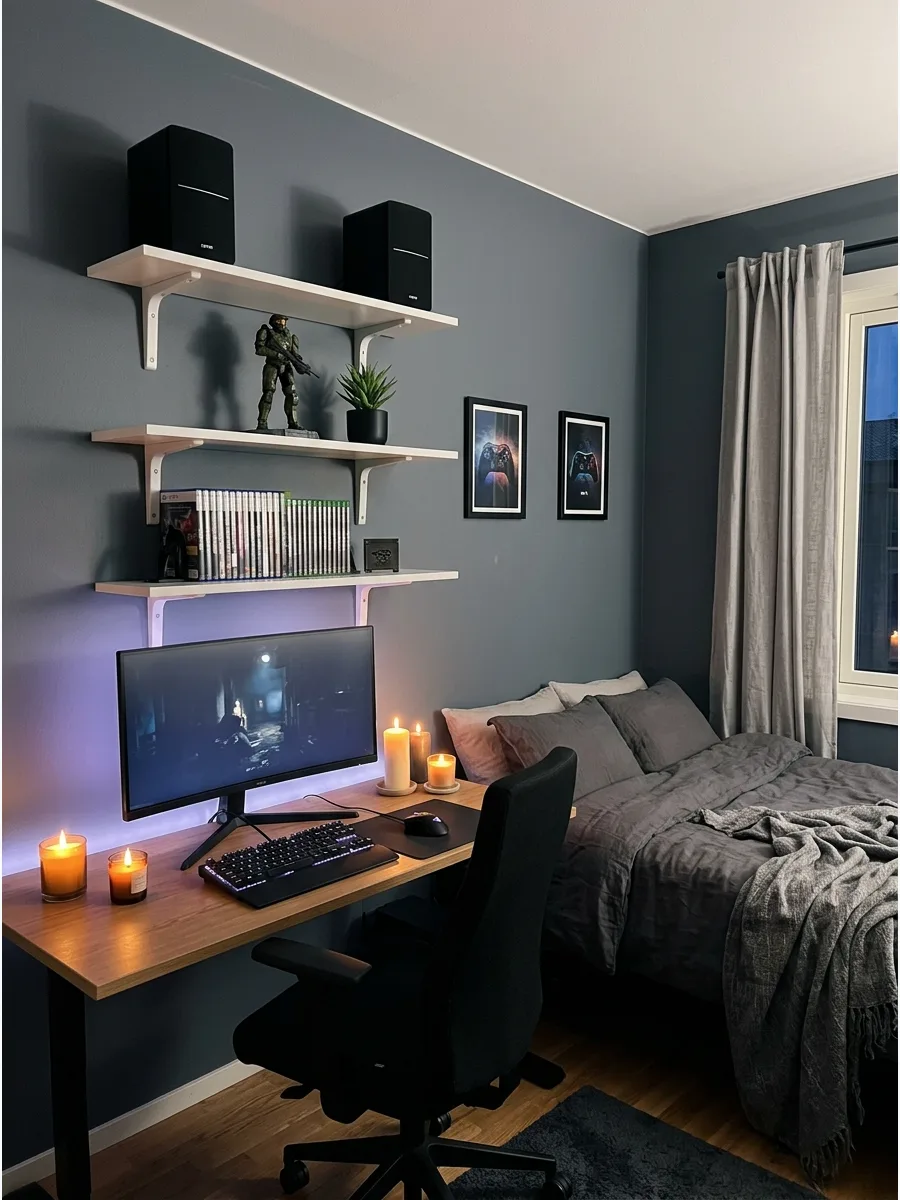
Floating shelves provide a place for speakers, collectibles, and extra controllers without taking up valuable desk space. This keeps the gaming area organized and allows for personal decor to be part of the design.
Group items by color or size on the shelves to create a curated gallery look rather than a cluttered mess. It turns the wall into a functional part of the overall gaming aesthetic.
- Floating shelf sets usually cost between $20 and $50 for a set of three.
- Use a level during installation to ensure all shelves are perfectly straight.
- Space shelves at least 12 inches apart to accommodate taller items like headsets.
Quick win: Place a small trailing plant on the top shelf to soften the hard edges of the monitors and plastic hardware.
22. Compact Console Gaming Bedroom
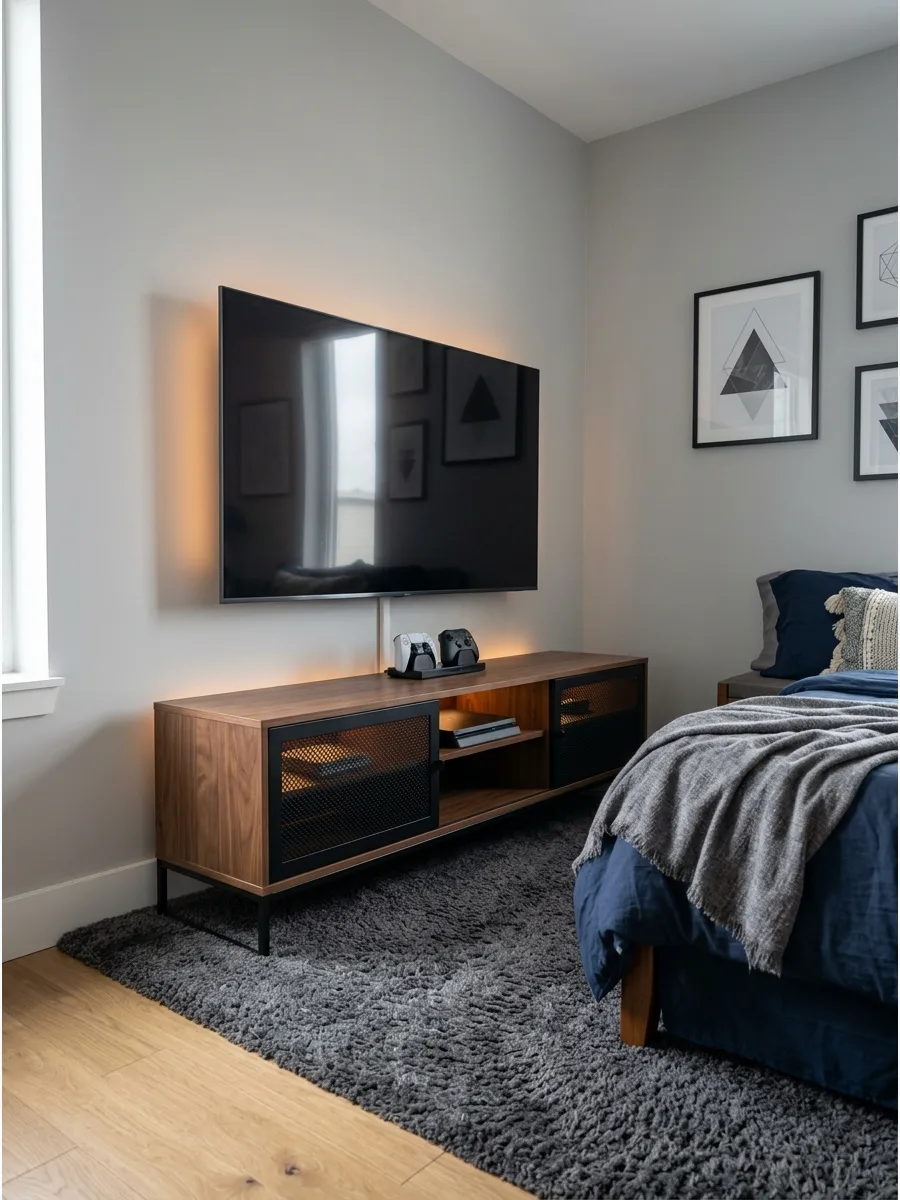
Mounting a TV on the wall and using a slim media console keeps the floor clear and the room looking tidy. This setup works well for console gamers who prefer playing from the bed or a lounge chair.
Hide the console inside a ventilated cabinet to keep the visual clutter to a minimum while playing. It makes the gaming area feel like an integrated part of the bedroom furniture.
- Wall mounts for TVs range from $25 to $100 depending on the weight capacity.
- Use a cord hider kit to mask the wires running from the TV down to the console.
- Ensure the console has at least 2 inches of space on all sides for proper airflow.
Most people skip this: Measure the height of the bed to ensure the TV is mounted at a comfortable viewing angle that doesn't cause neck strain.
23. Bedside Gaming Setup
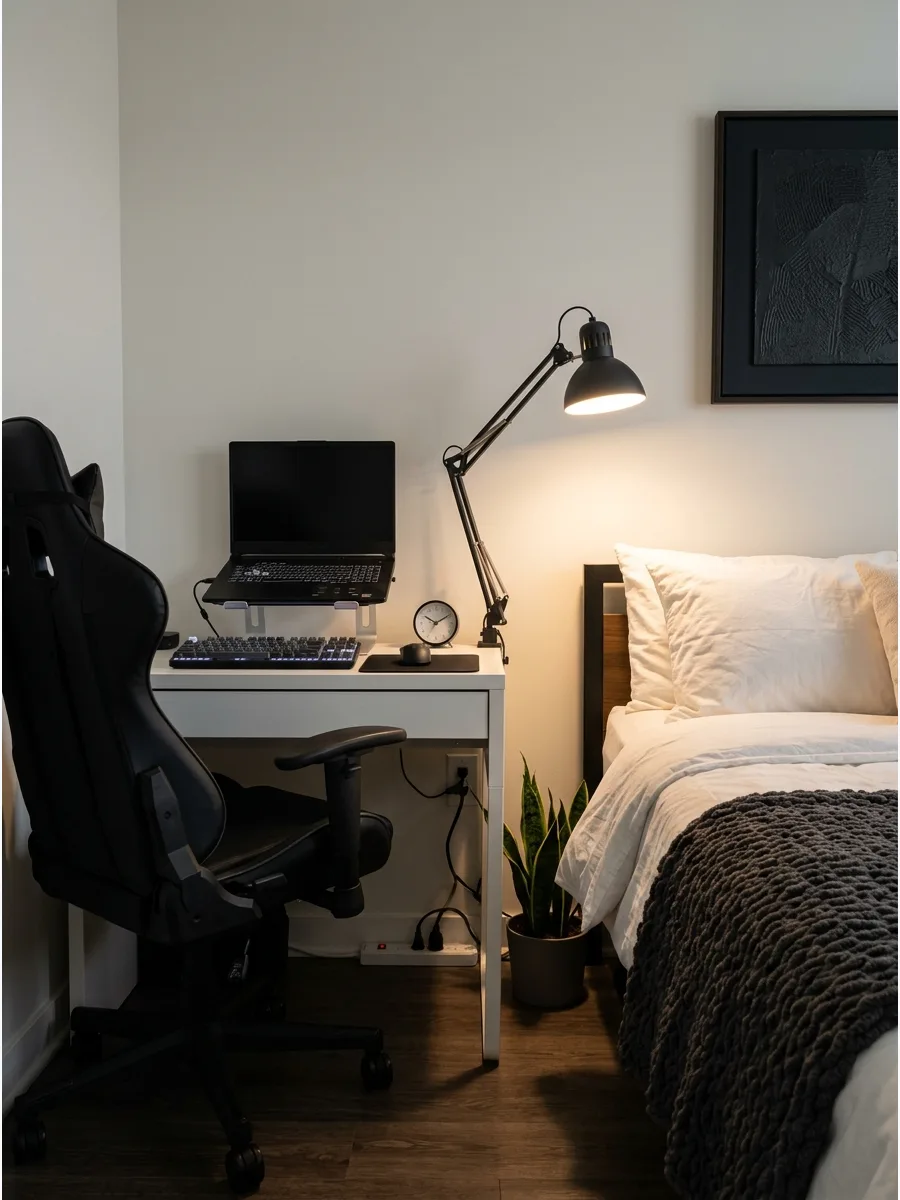
Replacing a traditional nightstand with a small desk creates a dual-purpose zone for gaming and sleeping. This layout is ideal for very small rooms where a separate desk simply won't fit.
Use a desk lamp with an adjustable arm so it can function as both a gaming light and a reading lamp. It keeps the most used items within arm's reach of the bed for convenience.
- Small desks between 30 and 36 inches wide fit most bedside gaps.
- Choose a chair that can tuck completely under the desk when not in use to save space.
- Use a wireless mouse to reduce cord clutter on the small bedside surface.
Best shortcut: Use a power strip with USB ports to charge both the gaming gear and a phone overnight without extra plugs.
24. Vertical Storage Gaming Room
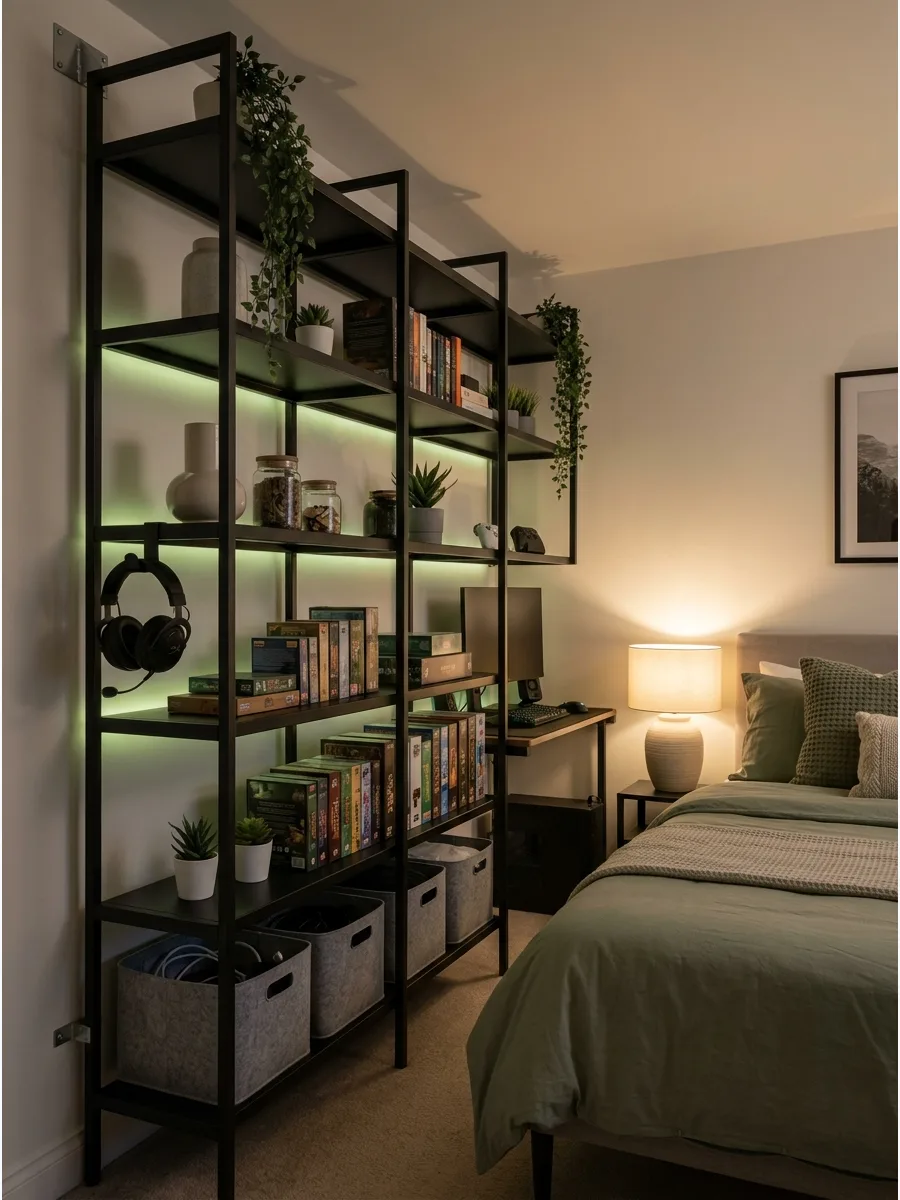
Tall shelving units and pegboards utilize the height of the room to store headsets, games, and wires. This keeps the floor open and makes the bedroom feel more spacious and less crowded.
Arrange the most frequently used items at shoulder height for easy access during gaming sessions. It is a practical way to organize a large collection of gear in a small footprint.
- Metal shelving units cost between $50 and $150 and are very durable.
- Use uniform bins or baskets to hide smaller, messy items like extra charging cables.
- Secure tall units to the wall with an anti-tip kit for safety in a bedroom.
Quick win: Use a pegboard to turn a blank wall into a customizable storage center for controllers, cables, and headsets.
25. Dual Monitor Gaming Desk
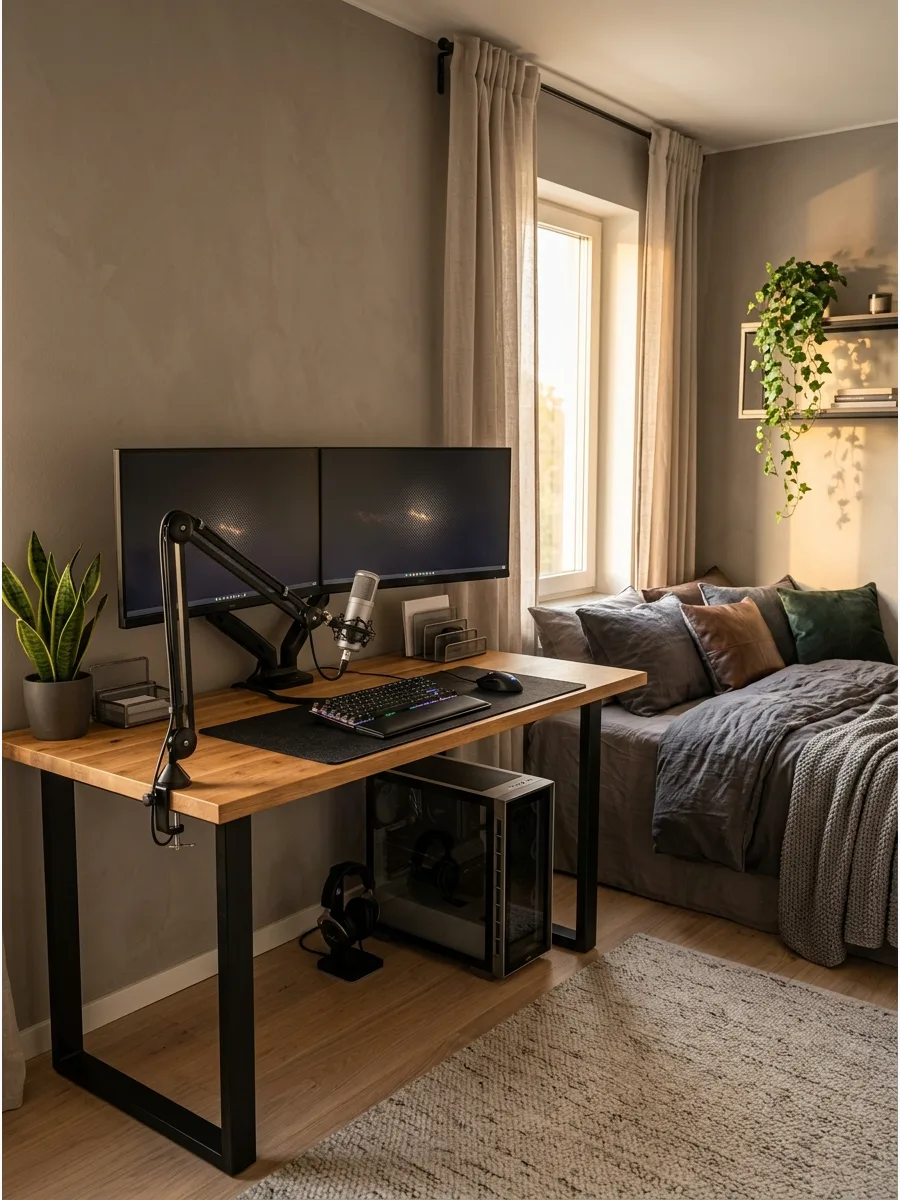
Two screens improve productivity for schoolwork and provide a much more immersive experience for gaming. This setup requires a sturdy desk that can handle the weight and width of multiple monitors.
Align the monitors at the same height to reduce neck strain and create a seamless visual field. It makes the setup feel professional and high-performance.
- Sturdy desks designed for dual monitors range from $150 to $400.
- Use a dual monitor mount to save desk space and allow for easy adjustment.
- Ensure the desk is at least 55 inches wide to fit both screens comfortably.
Most people skip this: Check that the computer's graphics card has enough ports to support two monitors before buying the second screen.
26. Ultra-Wide Monitor Setup
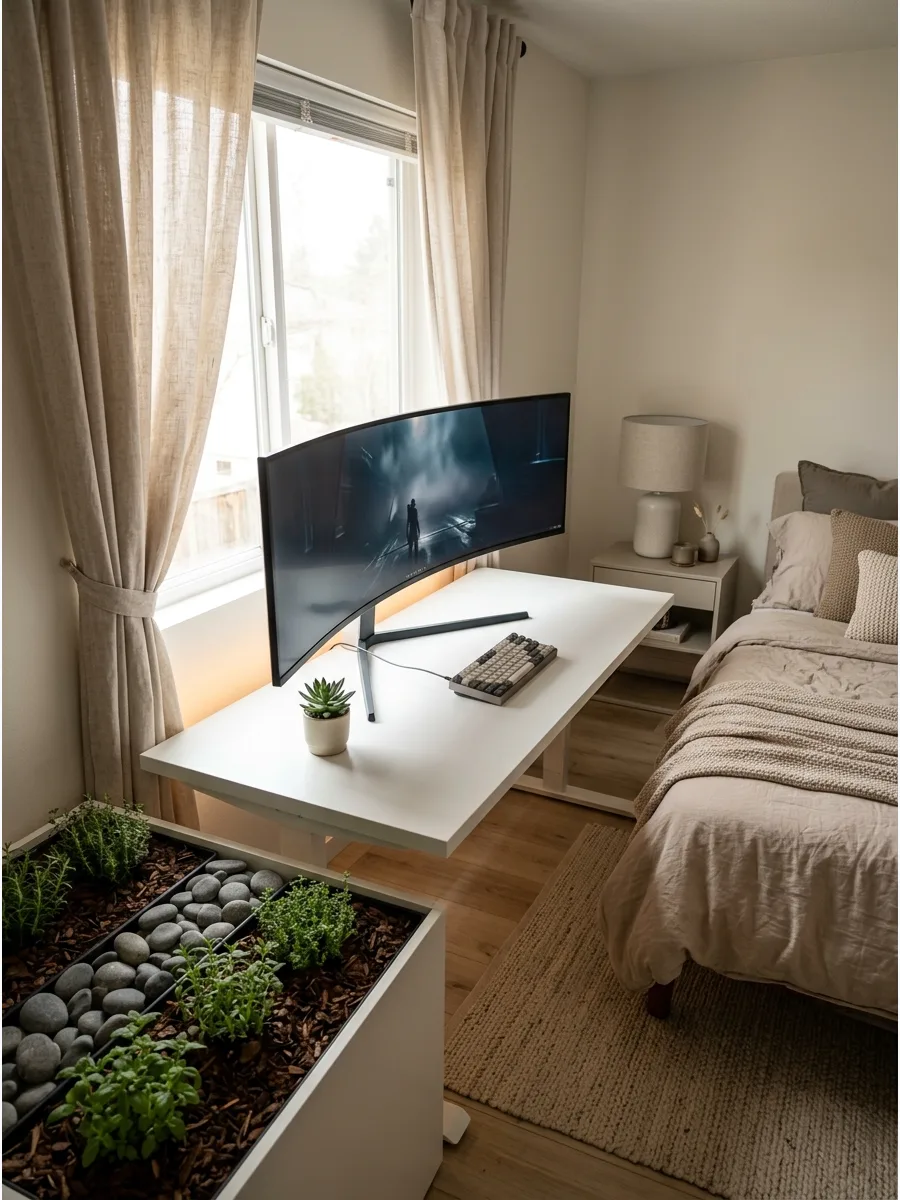
A single ultra-wide monitor provides the screen space of two monitors without the distracting bezel in the middle. This creates a much cleaner look on the desk and simplifies the cable management process.
Center the monitor on the desk to maintain symmetry and balance within the room design. It offers a cinematic experience that is perfect for both gaming and watching movies.
- Ultra-wide monitors are a premium investment, often costing between $300 and $900.
- Use a heavy-duty monitor arm specifically rated for wide screens to avoid sagging.
- Pair the screen with a high-quality display cable to ensure the best refresh rates.
Best shortcut: Use window-snapping software to easily organize multiple apps on one giant screen for schoolwork.
27. L-Shaped Gaming Desk
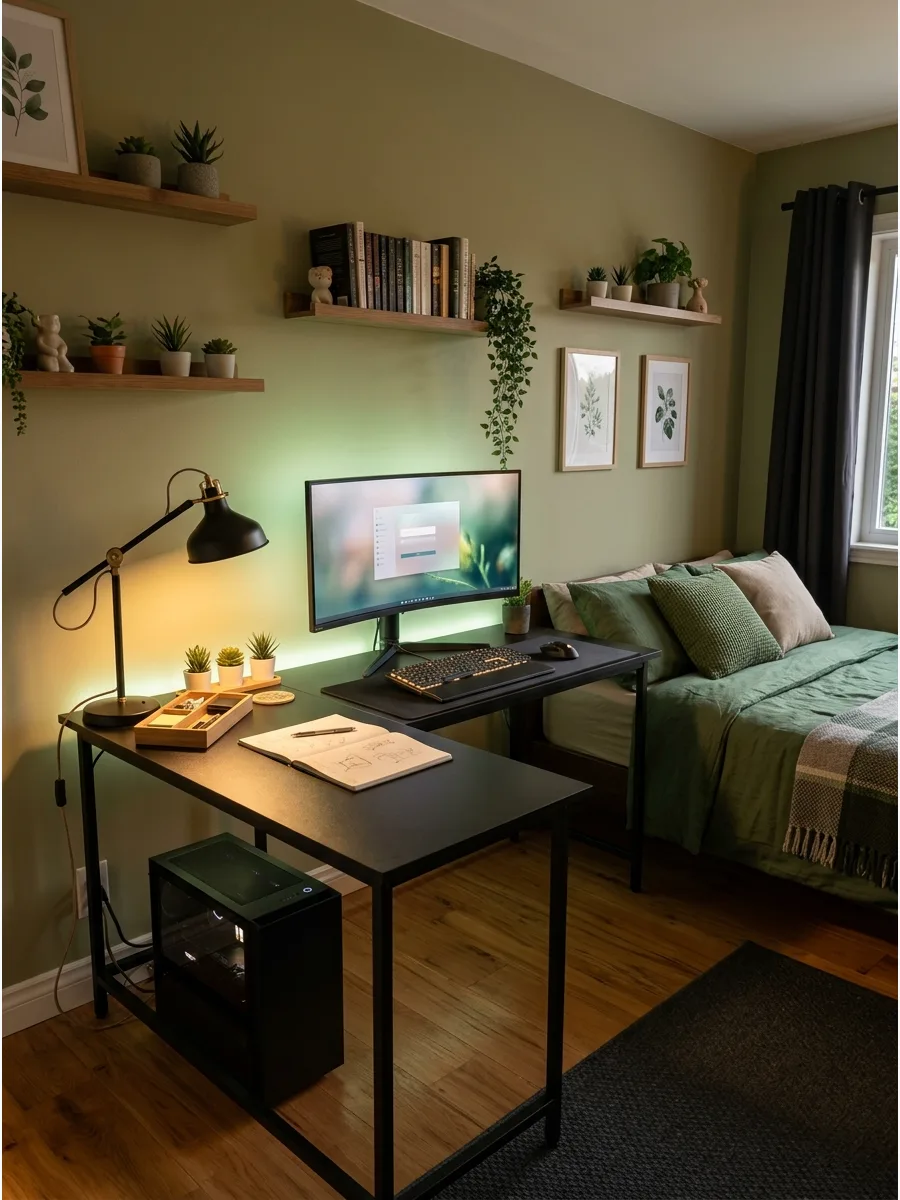
An L-shaped desk provides two distinct work surfaces, allowing for a dedicated gaming zone and a separate area for homework. This layout fits perfectly into a corner and maximizes the usable surface area in the room.
Place the PC tower on the shorter side of the L to keep the main gaming area clear. It is a great way to stay organized without needing two separate pieces of furniture.
- L-shaped desks vary from $100 to $300 depending on the size and material.
- Measure the corner carefully to ensure the desk doesn't block any doors or windows.
- Look for a model with a reversible design to fit any corner in the room.
Quick win: Use the corner space under the desk for a large subwoofer or a hidden trash can to save floor space.
28. Desk With Monitor Arm
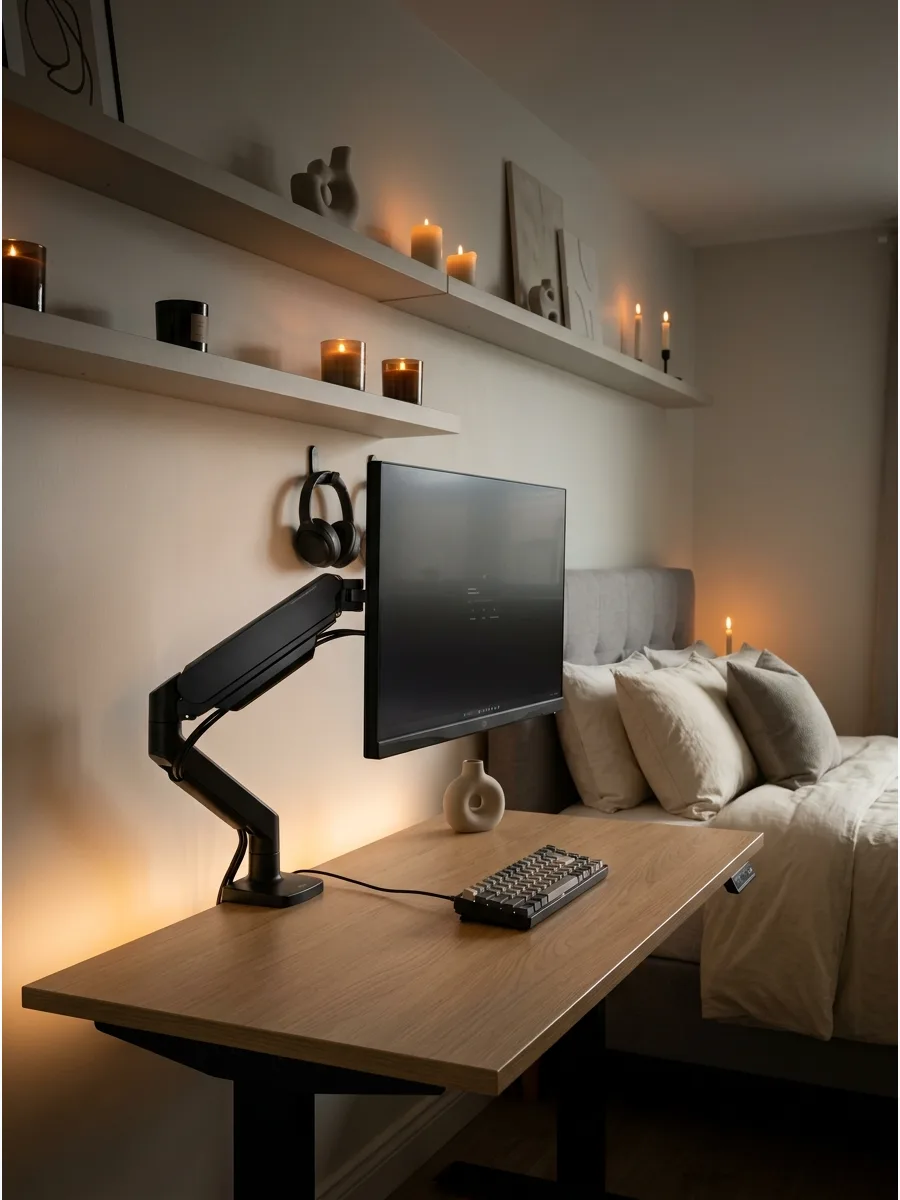
A monitor arm lifts the screen off the desk, creating a floating effect and freeing up valuable surface space. It allows for full adjustability, so the screen can be tilted or rotated for the perfect viewing angle.
Route the monitor cables through the arm's built-in channels for a completely wire-free look. This simple upgrade instantly makes any gaming setup look more modern.
- Single monitor arms cost between $30 and $80 for high-quality models.
- Ensure the desk surface is thick enough to support the clamp of the arm.
- Check the VESA mount compatibility on the back of the monitor before purchasing an arm.
Most people skip this: Leave a little bit of slack in the cables so the arm can move freely without pulling on the ports.
29. Cable-Free Desk Look
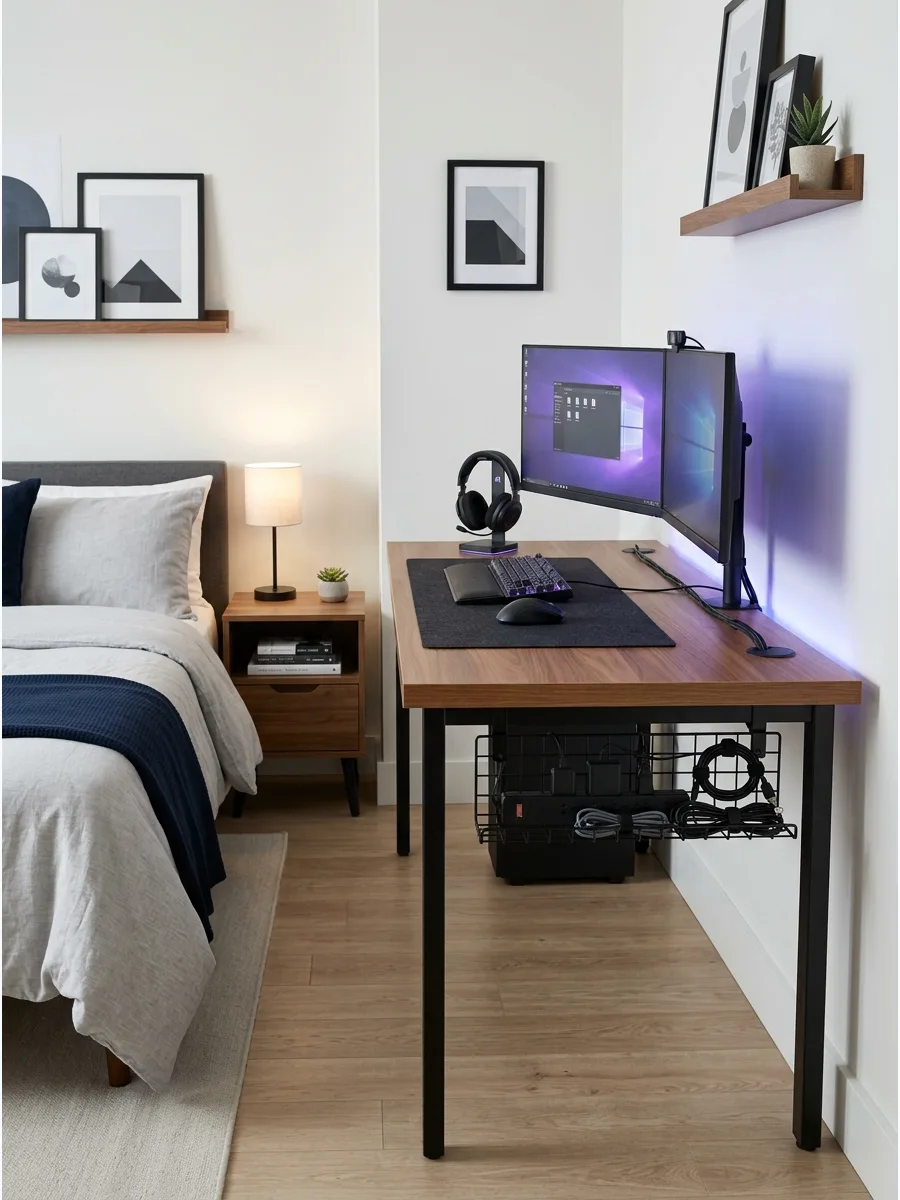
Hiding wires is the fastest way to make a gaming bedroom look polished and intentional. Using cable trays and sleeves prevents the 'spiderweb' of cords from ruining the room's aesthetic.
Mount a power strip to the underside of the desk to keep all plugs off the floor. It creates a safer environment and makes cleaning under the desk much easier.
- Cable management kits range from $15 to $40 for a full set of tools.
- Use velcro ties instead of plastic zip ties so you can easily add or remove cables later.
- Label each cord near the plug to save time during setup or troubleshooting.
Best shortcut: Use a wireless mouse and keyboard to eliminate two of the most visible cords on the desk surface.
30. Desk Mat Gaming Setup
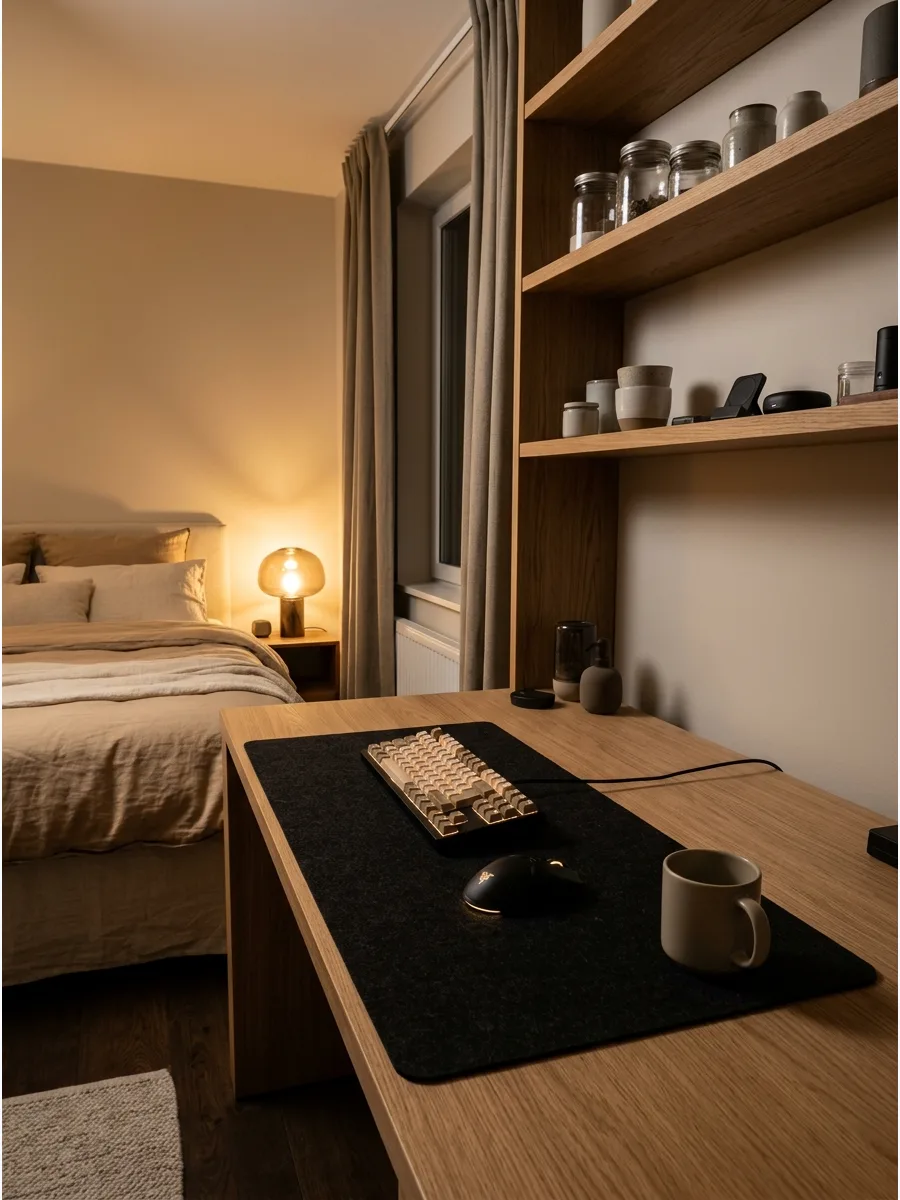
An oversized desk mat protects the desk surface while providing a smooth, consistent area for the mouse. It also adds a layer of texture and color that helps define the gaming zone within the bedroom.
Choose a neutral color like dark gray or black to keep the look sophisticated and easy to clean. A high-quality mat also dampens the sound of the keyboard.
- Desk mats typically cost between $15 and $35 depending on the material.
- Look for a mat with a non-slip rubber base to keep it from sliding around during play.
- Choose a washable material like polyester or treated leather for the best longevity.
Quick win: Match the color of the desk mat to the room's curtains or rug to tie the whole design together seamlessly.
31. Controller Display Stand
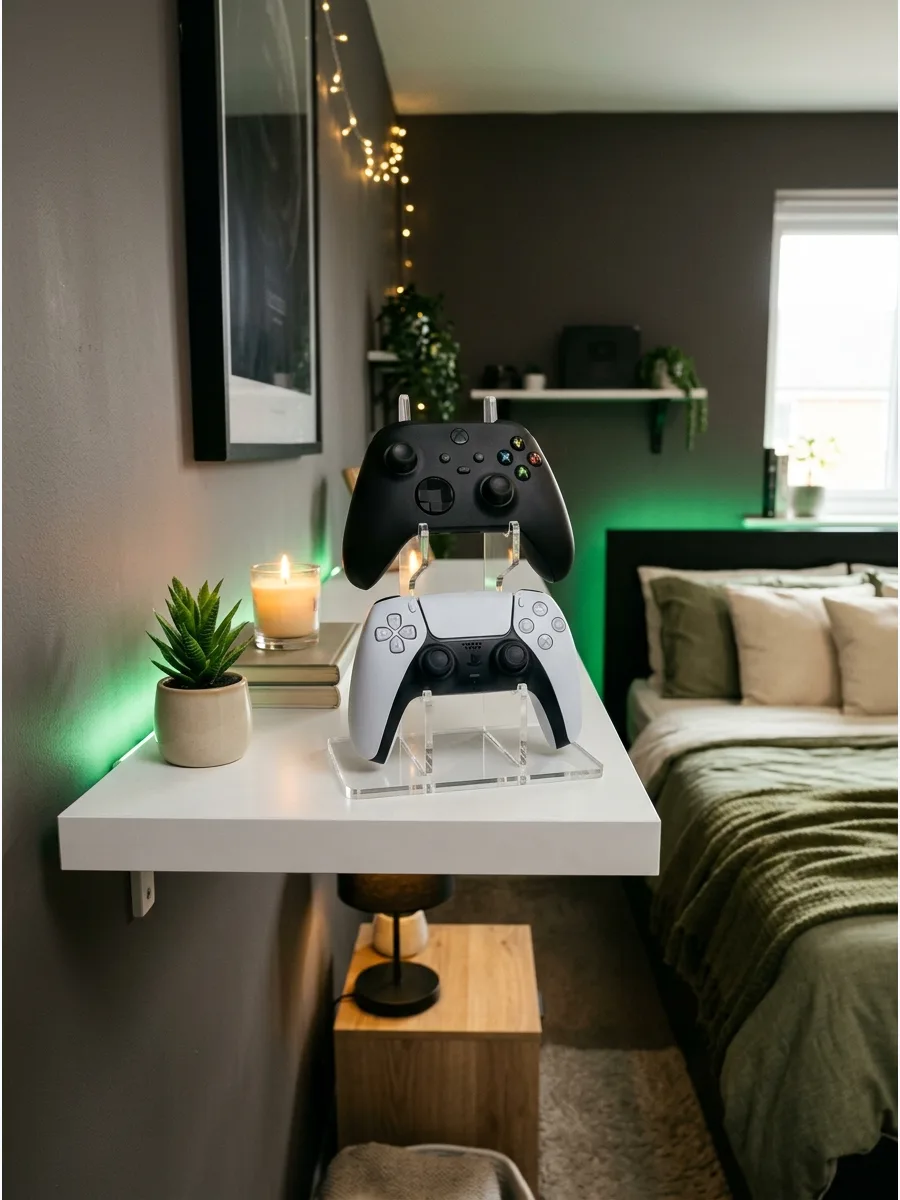
Use a small stand or shelf to display controllers instead of leaving them on the desk.
This keeps the gaming surface clear and treats the hardware like a piece of art. Pick a stand that matches the desk material for a seamless look. It prevents buttons from getting stuck or the hardware from getting dusty on the floor.
- Budget: $10 – $25; Sourcing: Major online retailers or tech shops.
- Placement: Set on the corner of the desk furthest from the mouse for better movement.
- Adaptation: Renters can use adhesive museum gel to secure the stand without damaging the desk surface.
Quick win: Use a stand with a charging port to keep batteries full without extra wires.
32. Headset Wall Hook
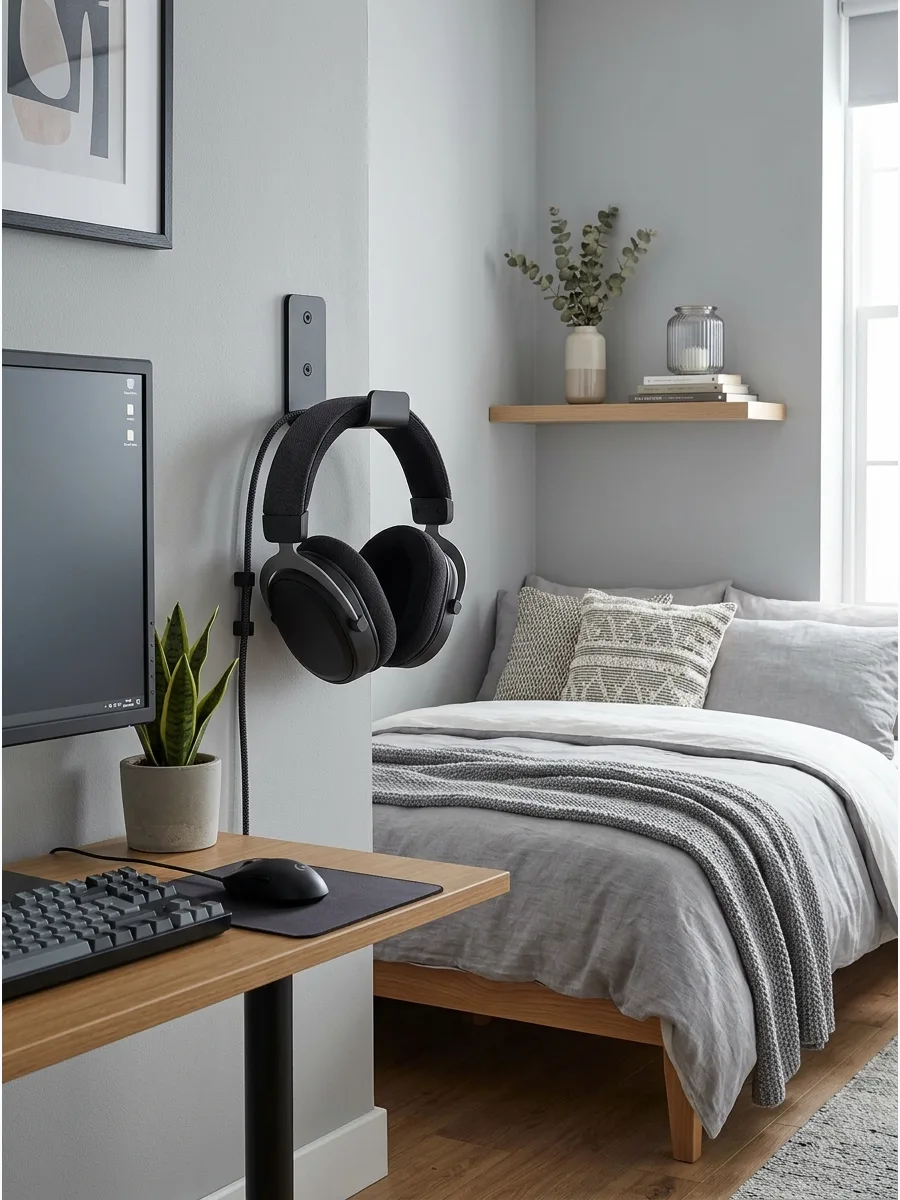
Mount a headset hook under the desk or on the wall to keep the setup clean.
This simple addition saves valuable desk space and keeps the ear pads from getting crushed. Install the hook near the computer tower so the cable stays untangled. It is the easiest way to make a bedroom setup look professional instantly.
- Budget: $5 – $15; Timing: 10-minute installation.
- Logistics: Mount at a height where the headset does not hit your knees when sitting.
- Adaptation: Use a clamp-on version for desks to avoid drilling holes in walls or furniture.
Best shortcut: Look for hooks with a wide, curved surface to prevent the headset headband from stretching.
33. Gaming Bedroom Soft Rug
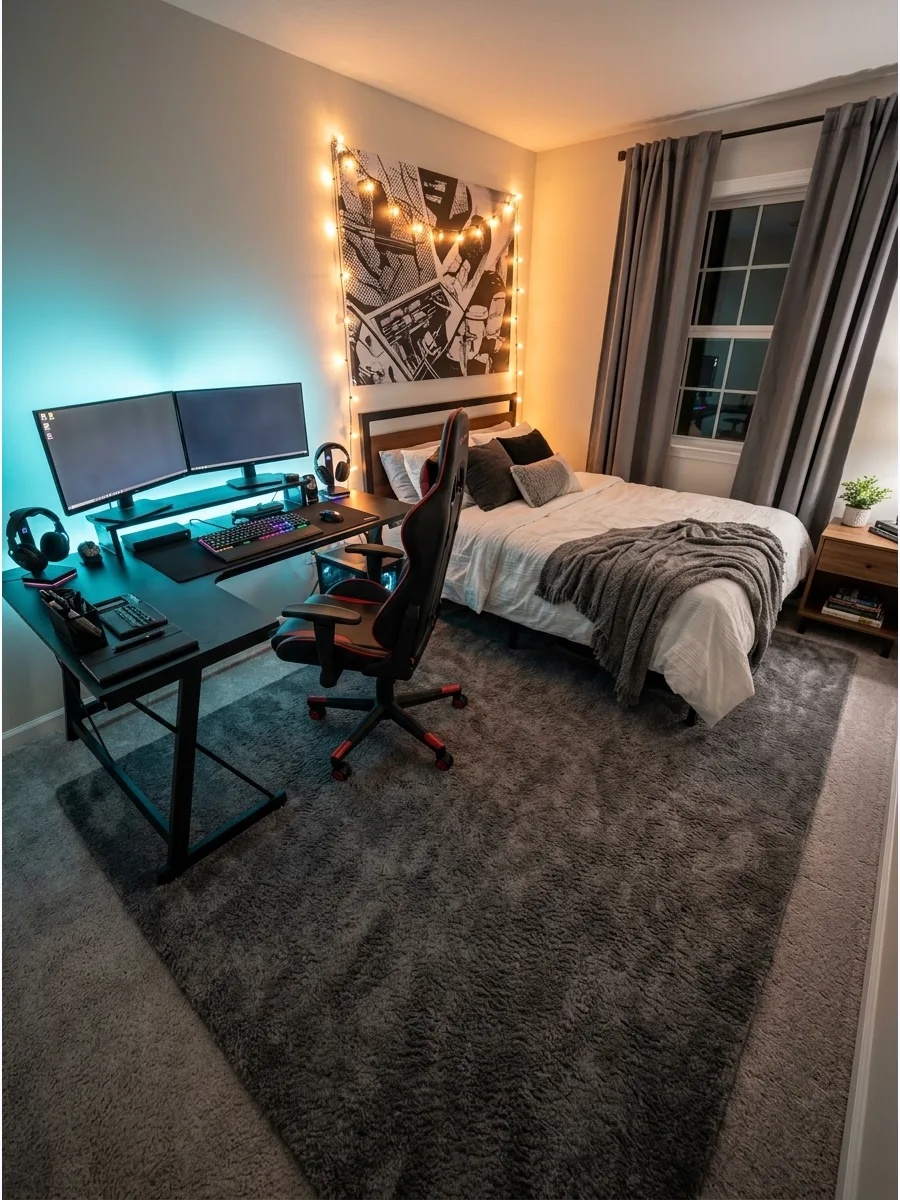
Add a large rug under the bed and desk area to make the room feel warmer and more comfortable. Rugs help dampen the sound of clicking keys or rolling chairs, which is great for late-night sessions.
Choose a low-pile rug so the gaming chair wheels can still move smoothly. A soft texture underfoot makes the transition from gaming to sleeping much more relaxing.
- Budget: $50 – $200; Sourcing: Home decor stores or rug warehouses.
- Placement: Center the rug under the front half of the bed and the entire desk area.
- Adaptation: Choose a machine-washable rug if the setup includes snacks or drinks.
Most people skip this: Measure the clearance of your chair's wheels before buying a rug to ensure it won't bunch up.
34. Blackout Curtains Gaming Room
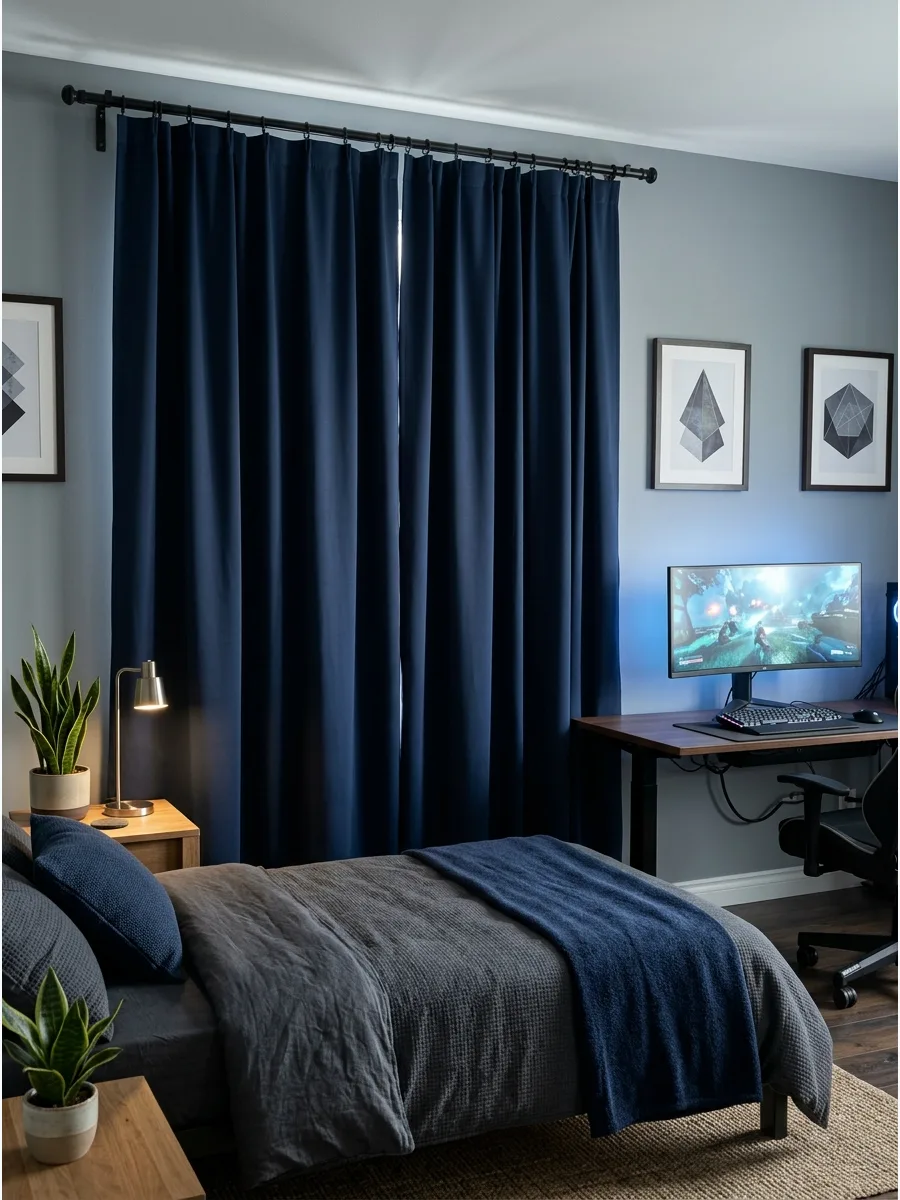
Use blackout curtains to control screen glare and make the room feel more cinematic. These heavy fabrics block out the sun during the day and help keep the temperature steady.
Select a neutral color like navy or slate to ground the room without making it feel too small. High-quality curtains are the secret to seeing every detail on a screen without annoying reflections.
- Budget: $20 – $60 per pair; Sourcing: Bedding and bath retailers.
- Setup: Install the rod 4 inches above the window frame to block maximum light.
- Adaptation: Use tension rods for a drill-free installation in rental bedrooms.
Best shortcut: Use a wrap-around curtain rod to block light that usually leaks through the sides.
35. Cozy Bed Gaming Setup
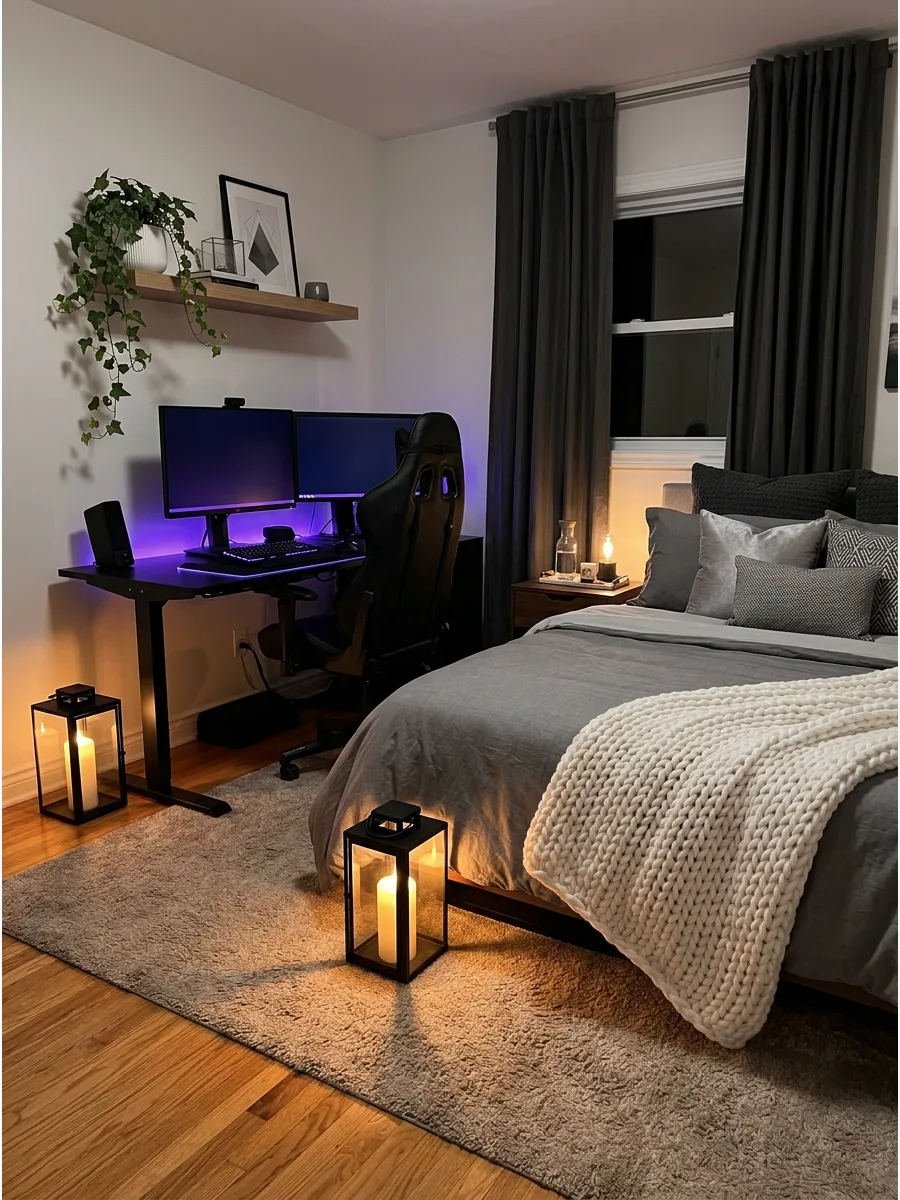
Balance the desk with soft bedding, pillows, and warm lighting so the room still feels like a bedroom. Use high-thread-count sheets and a chunky knit throw to contrast with the hard lines of the computer.
Layer at least three different textures on the bed to create a high-end look. A room that only looks like an office is hard to sleep in at night.
- Budget: $40 – $150; Timing: Instant upgrade with new linens.
- Logistics: Keep the bed at least two feet away from the desk to allow for chair movement.
- Adaptation: Swap heavy duvets for lightweight linen covers in warmer seasons to stay cool while gaming.
Quick win: Stick to a consistent color palette for both the bed and the desk to make the room feel twice as large.
36. Reading and Gaming Corner
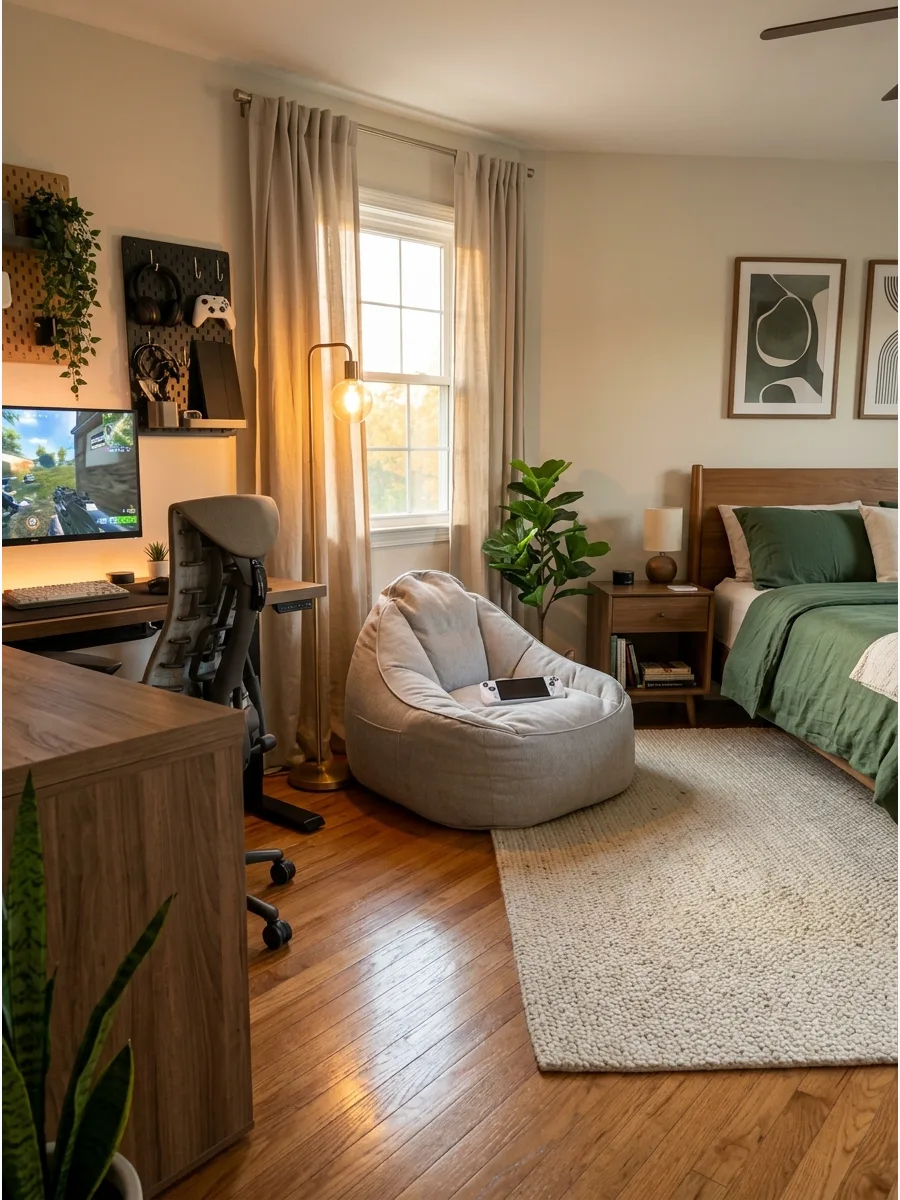
Add a small chair or beanbag near the setup for relaxing, reading, or handheld gaming.
This creates a secondary zone in the bedroom that does not involve sitting at a desk. Place a floor lamp nearby to make the corner usable even when the main lights are off. Having a spot to decompress after a long game helps the brain switch into rest mode.
- Budget: $30 – $120; Sourcing: Furniture stores or beanbag specialists.
- Setup: Position the seat near a window for natural light during the day.
- Adaptation: Use a folding floor chair if the bedroom is too small for a permanent beanbag.
Most people skip this: Add a small side table or a floor basket to hold controllers or snacks in the lounge area.
37. Gaming Bedroom With Plants
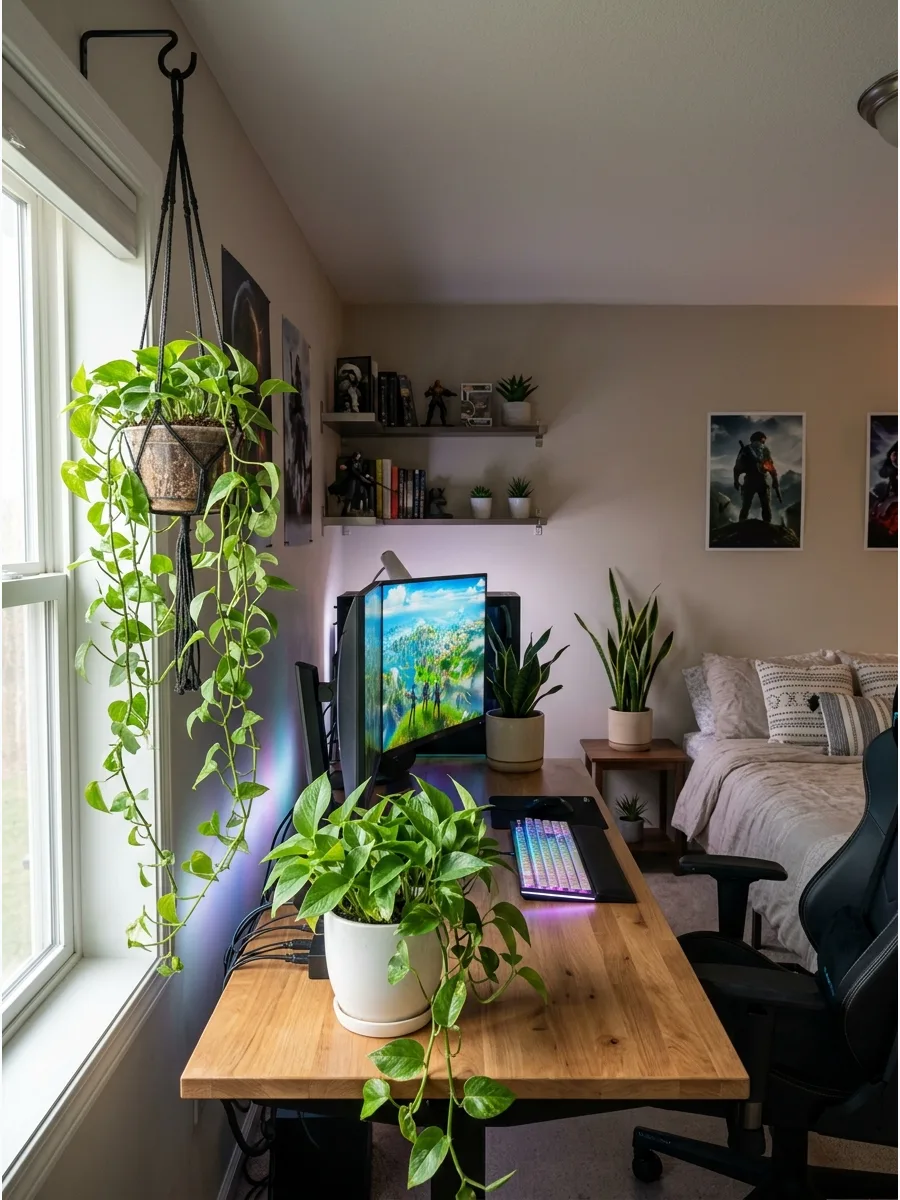
Add easy-care plants near the window or shelves to soften the tech-heavy look. Greenery adds oxygen and a pop of natural color that balances out the glowing LEDs.
Use a snake plant or pothos since they handle low light and missed waterings well. Nature is the best way to make a room full of electronics feel more alive and less sterile.
- Budget: $15 – $40; Sourcing: Local nurseries or garden centers.
- Logistics: Place plants in heavy ceramic pots to prevent them from tipping over near electronics.
- Adaptation: Use high-quality silk plants if the room has no windows or natural light.
Quick win: Place plants on a shelf above the desk rather than on the desk surface to save room for your mouse.
38. Soft Wall Panels Behind Desk
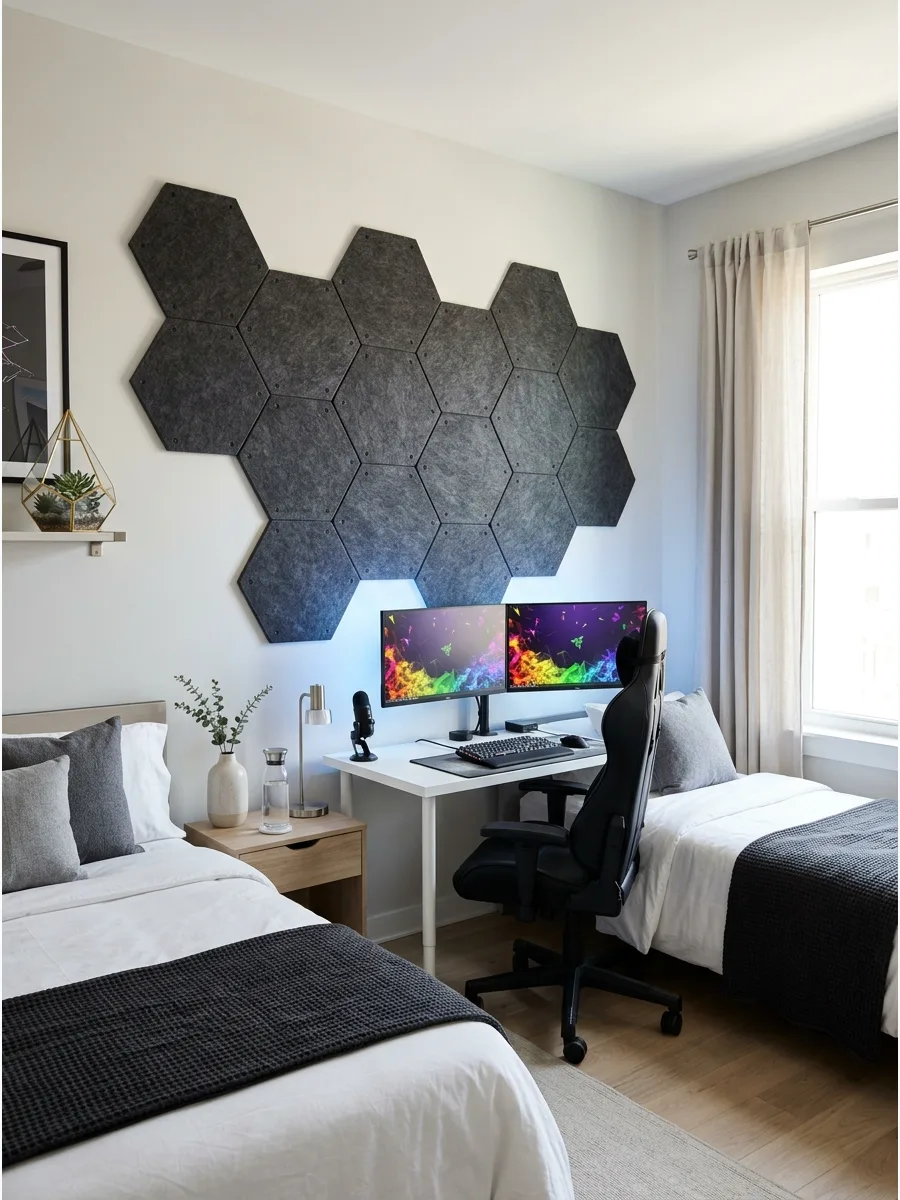
Use acoustic-style wall panels behind the desk for texture, sound softness, and a more designed look. These panels help stop echo during voice chats and add a professional, studio-like feel to the wall.
Arrange the panels in a geometric pattern to create an intentional focal point. Soft walls make the room feel much more expensive than just painted drywall.
- Budget: $30 – $100; Sourcing: Music supply stores or online decor shops.
- Setup: Use a level and painter's tape to mark the wall before sticking panels down.
- Adaptation: Mount panels to a thin plywood board first to make the entire feature removable for renters.
Best shortcut: Use 3M Command strips to hang panels so you can adjust the pattern without ruining the paint.
39. Warm Wood Gaming Bedroom
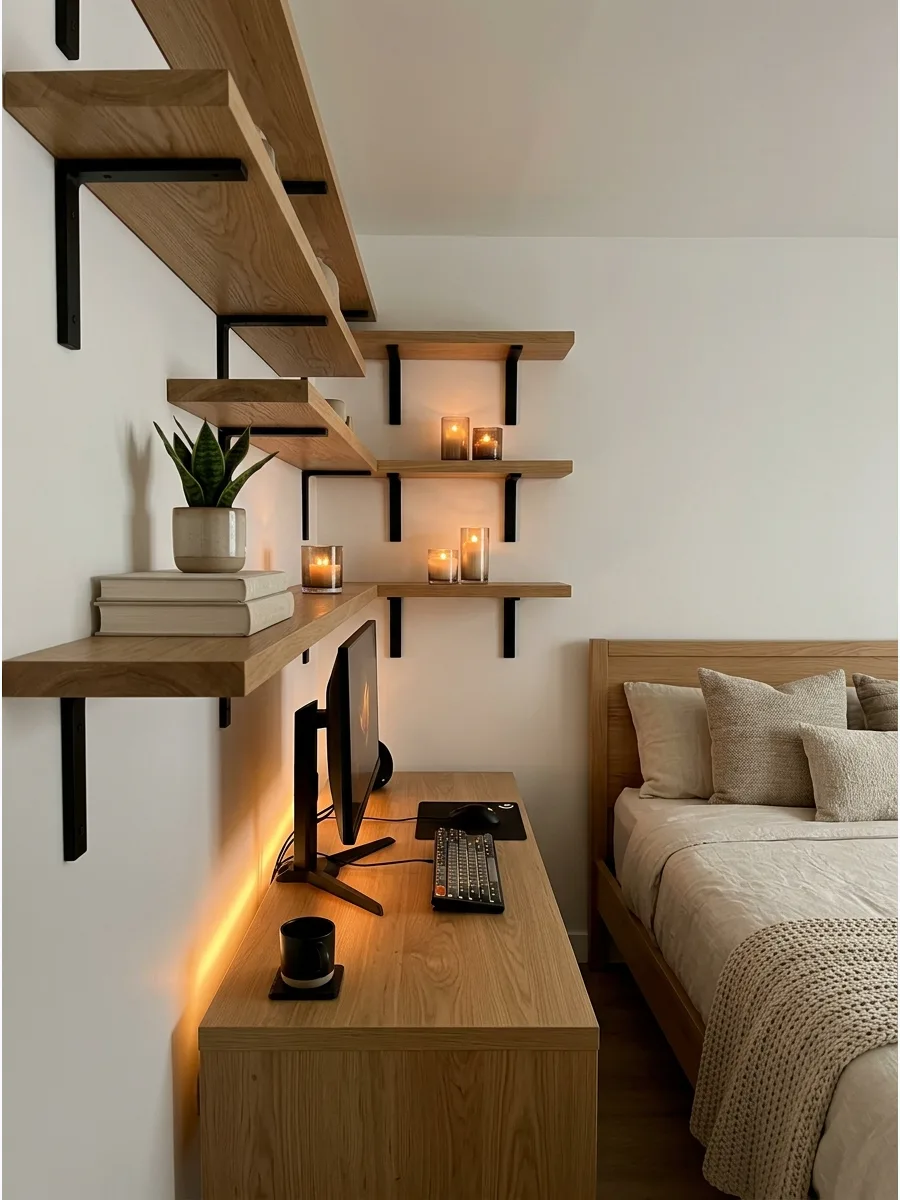
Use wood shelves, a wood desk, or a wood bed frame to make the gaming bedroom feel less cold. The natural grain of the wood provides a beautiful contrast to plastic and metal hardware.
Mix light oak with black accents for a modern take on the traditional gamer look. Natural materials prevent the room from feeling like a dark basement or a server room.
- Budget: Varies; Sourcing: Furniture outlets or secondhand markets.
- Logistics: Match the wood grain of the desk to the bed frame for a unified look.
- Adaptation: Apply wood-grain contact paper to a cheap white desk for a budget-friendly transformation.
Quick win: Add a wooden monitor riser to a metal desk to bring in that warm texture instantly.
40. Layered Lighting Gaming Room
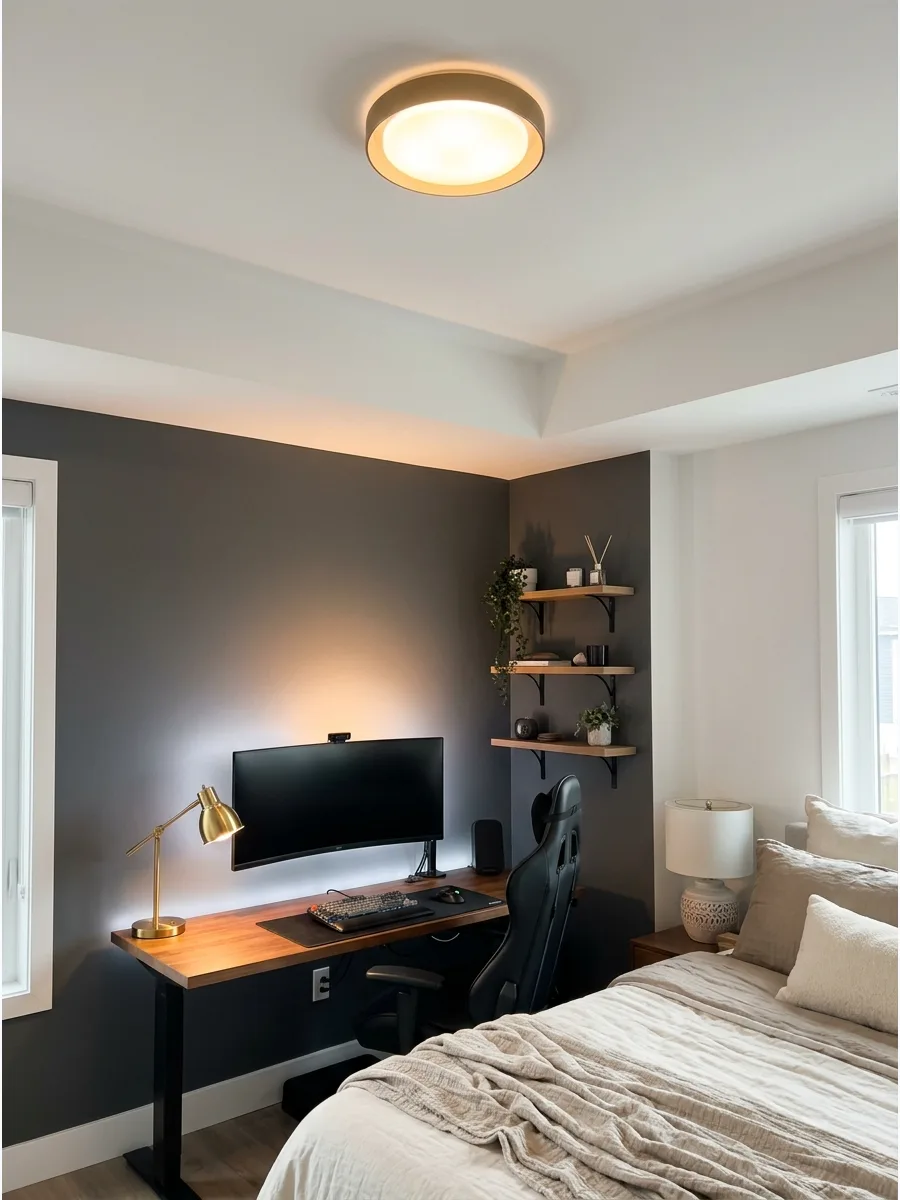
Use a desk lamp, LED lights, wall lights, and a ceiling light so the room works for gaming, studying, and relaxing. Having multiple light sources allows for quick mood changes depending on the time of day.
Put all accent lights on a single smart plug for one-touch control. Relying on just one bright overhead light makes the bedroom feel flat and uninviting.
- Budget: $20 – $80; Timing: 30 minutes to set up smart plugs and lamps.
- Setup: Place the desk lamp on the opposite side of your dominant hand to reduce shadows.
- Adaptation: Use battery-powered LED puck lights under shelves if there are no nearby outlets.
Most people skip this: Use warm-toned bulbs in your lamps to balance out the cool blue light from the monitors.
41. Cyberpunk Gaming Bedroom
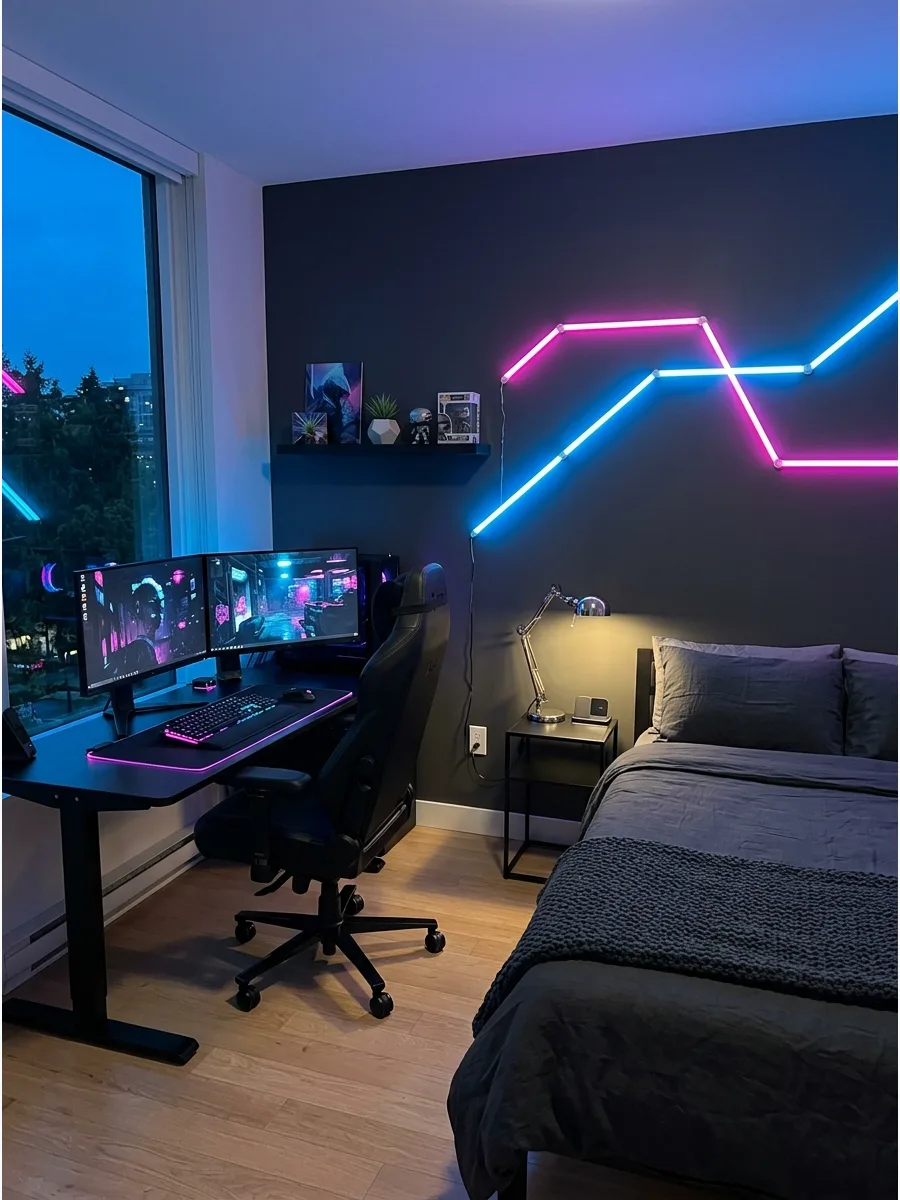
Use dark walls, neon lighting, metal accents, and futuristic wall art for a bold gaming style. This theme focuses on high-contrast colors and a high-tech vibe that feels immersive.
Paint one accent wall a deep charcoal to make the neon lights pop. A specific theme makes the design feel cohesive rather than just a collection of random parts.
- Budget: $50 – $150; Sourcing: Paint stores and lighting shops.
- Logistics: Use cable management sleeves to hide the many power cords needed for neon lights.
- Adaptation: Use removable neon-style LED strips instead of glass neon signs for safety and portability.
Quick win: Use matte black paint for the wall to absorb light and make the neon colors look more vibrant.
42. Retro Arcade Gaming Room
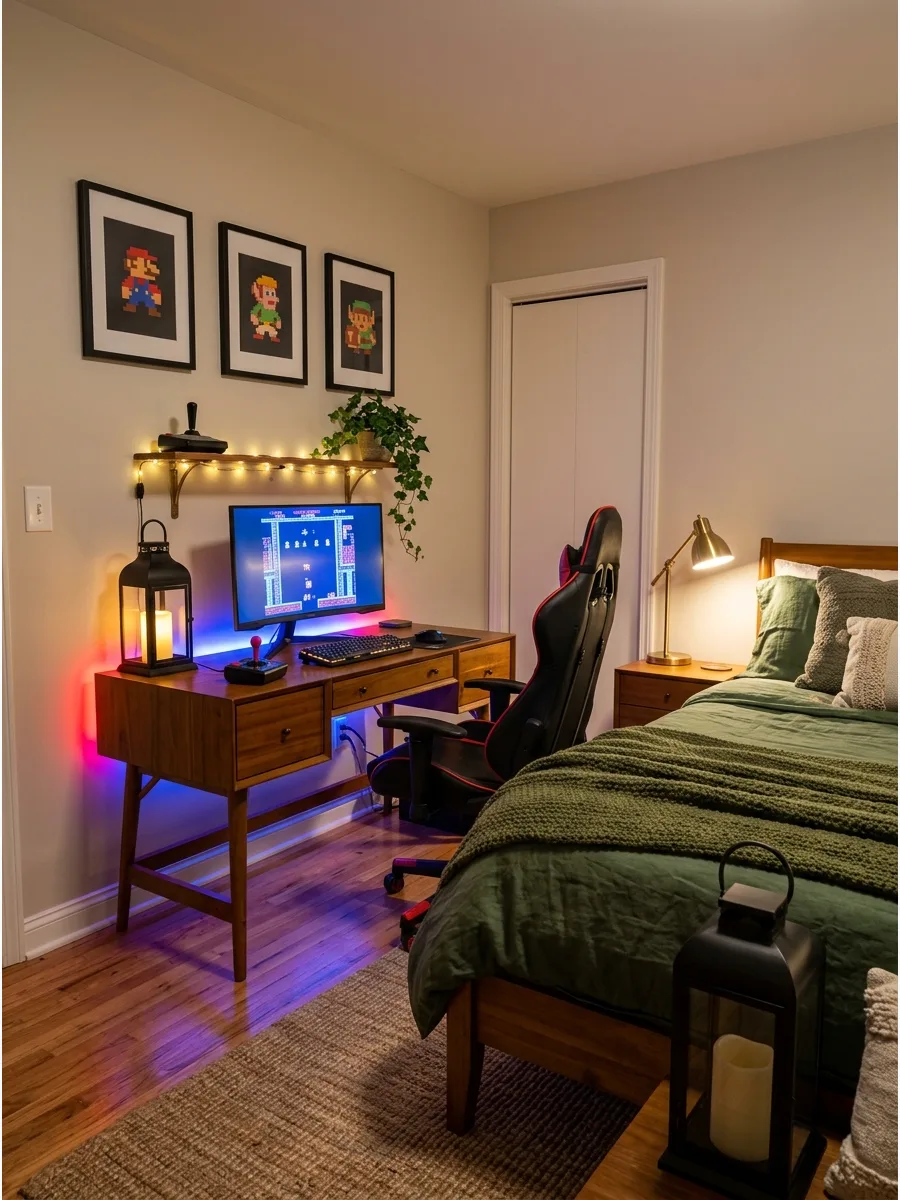
Add retro game posters, pixel art, and colorful lighting for a nostalgic arcade-inspired bedroom. This look is all about fun and vibrant colors that celebrate gaming history.
Frame the posters in simple black frames to keep the room looking mature and tidy. Mixing old-school vibes with new tech creates a unique personality that stands out.
- Budget: $20 – $70; Sourcing: Vintage shops or online print galleries.
- Setup: Hang art at eye level when standing to create a gallery wall effect.
- Adaptation: Use washi tape to hang posters for a damage-free way to decorate rental walls.
Best shortcut: Mix different sizes of frames to give the gallery wall a more authentic, collected look.
43. Anime Gaming Bedroom
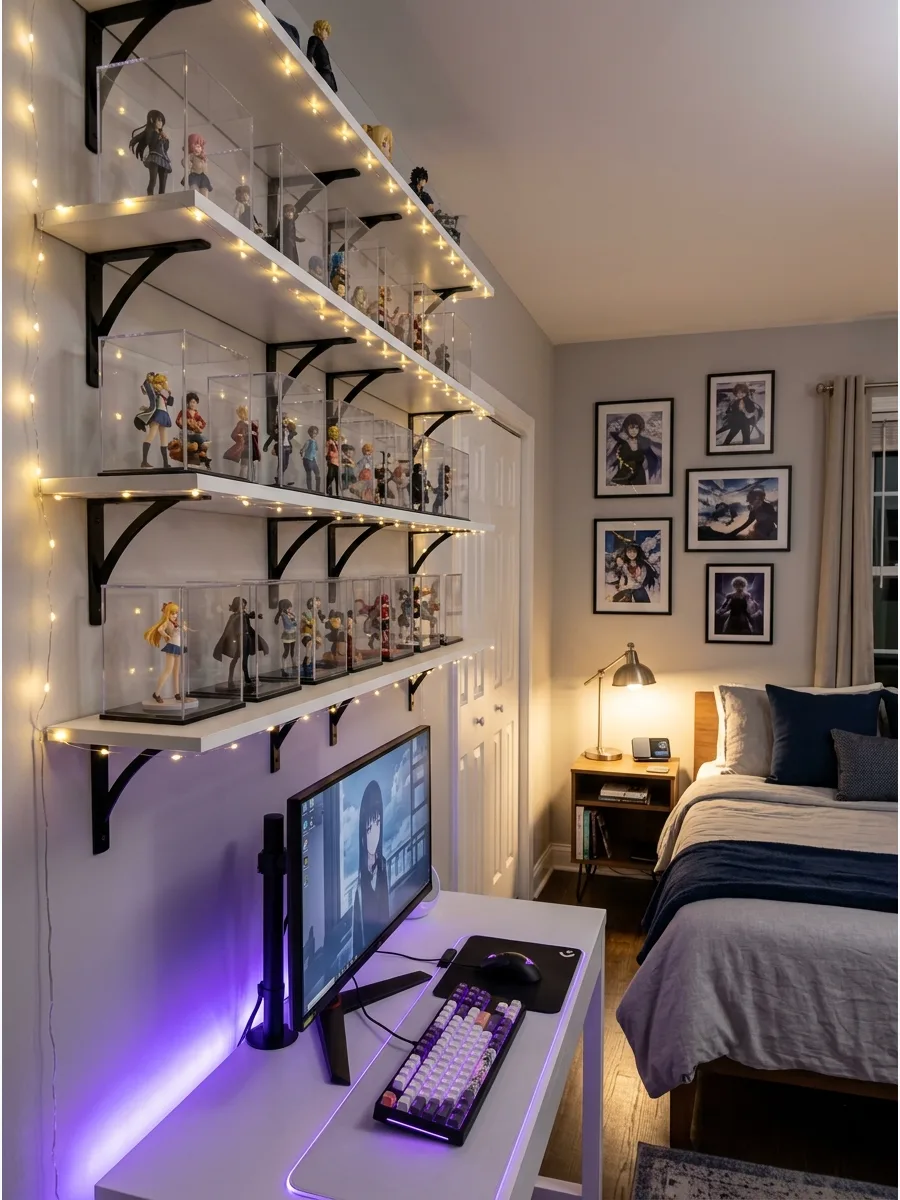
Use framed anime prints, LED lighting, and clean shelves for figures or collectibles. This style keeps the fandom front and center while maintaining an organized bedroom environment.
Group small figures on one shelf to prevent the desk from looking cluttered. Clear display cases protect your collection from dust while making it look like a curated gallery.
- Budget: $15 – $100; Sourcing: Specialty hobby shops or artist markets.
- Logistics: Use acrylic risers on shelves to see the figures in the back row clearly.
- Adaptation: Switch to digital art frames to rotate through different series without buying new prints.
Most people skip this: Use floating invisible shelves to make the figures look like they are part of the wall.
44. Space-Themed Gaming Bedroom
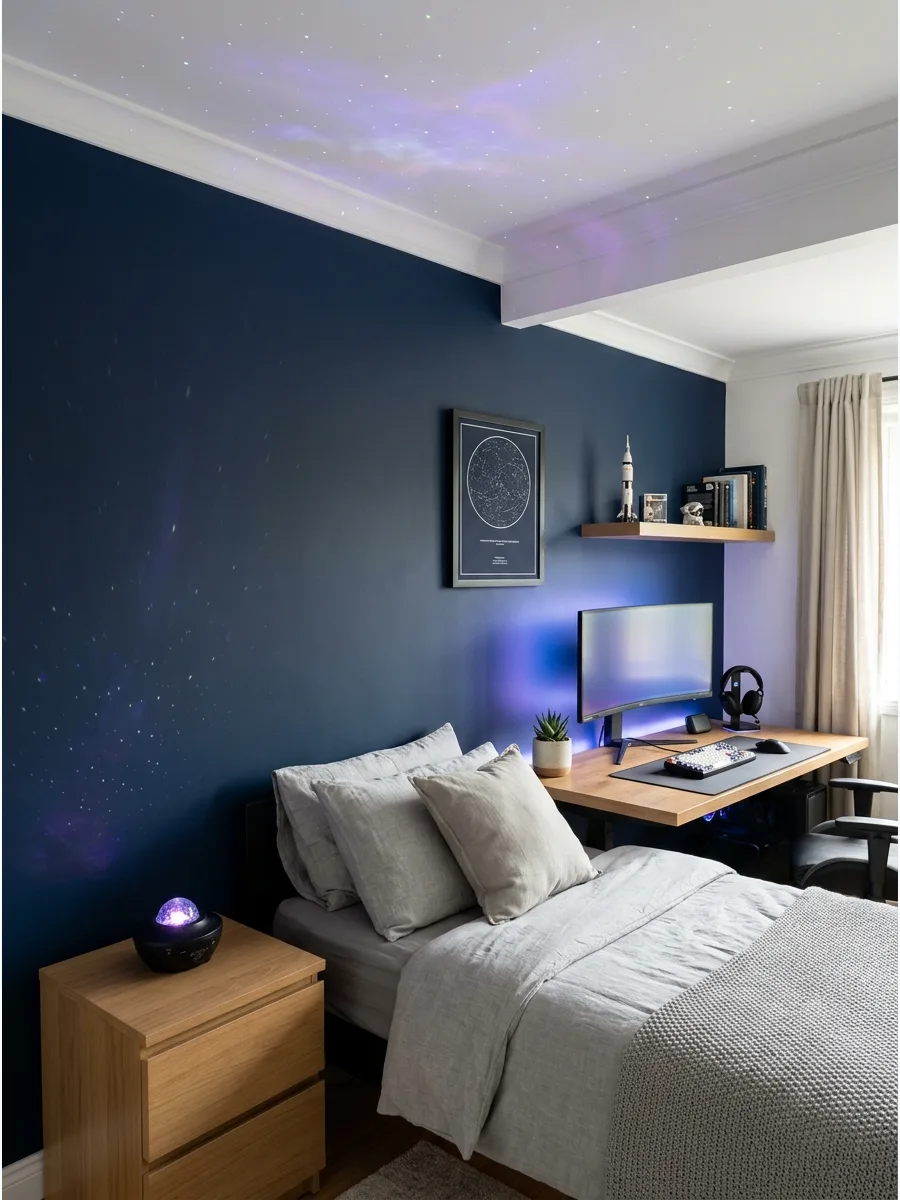
Use navy walls, star lights, galaxy art, and blue-purple LEDs for a space-inspired gaming room. This creates a calm, dark environment that is perfect for late-night gaming and deep sleep.
Apply a star-map decal or use a galaxy projector for a low-cost ceiling transformation. Deep blues and purples are naturally relaxing colors that fit the bedroom vibe perfectly.
- Budget: $30 – $90; Sourcing: Science gift shops or lighting retailers.
- Setup: Point the projector at the largest empty wall or the ceiling for the best effect.
- Adaptation: Use glow-in-the-dark stars for a subtle, low-tech version that does not use electricity.
Quick win: Combine a navy blue ceiling with star decals for a look that works even when the lights are on.
45. Racing Gaming Bedroom
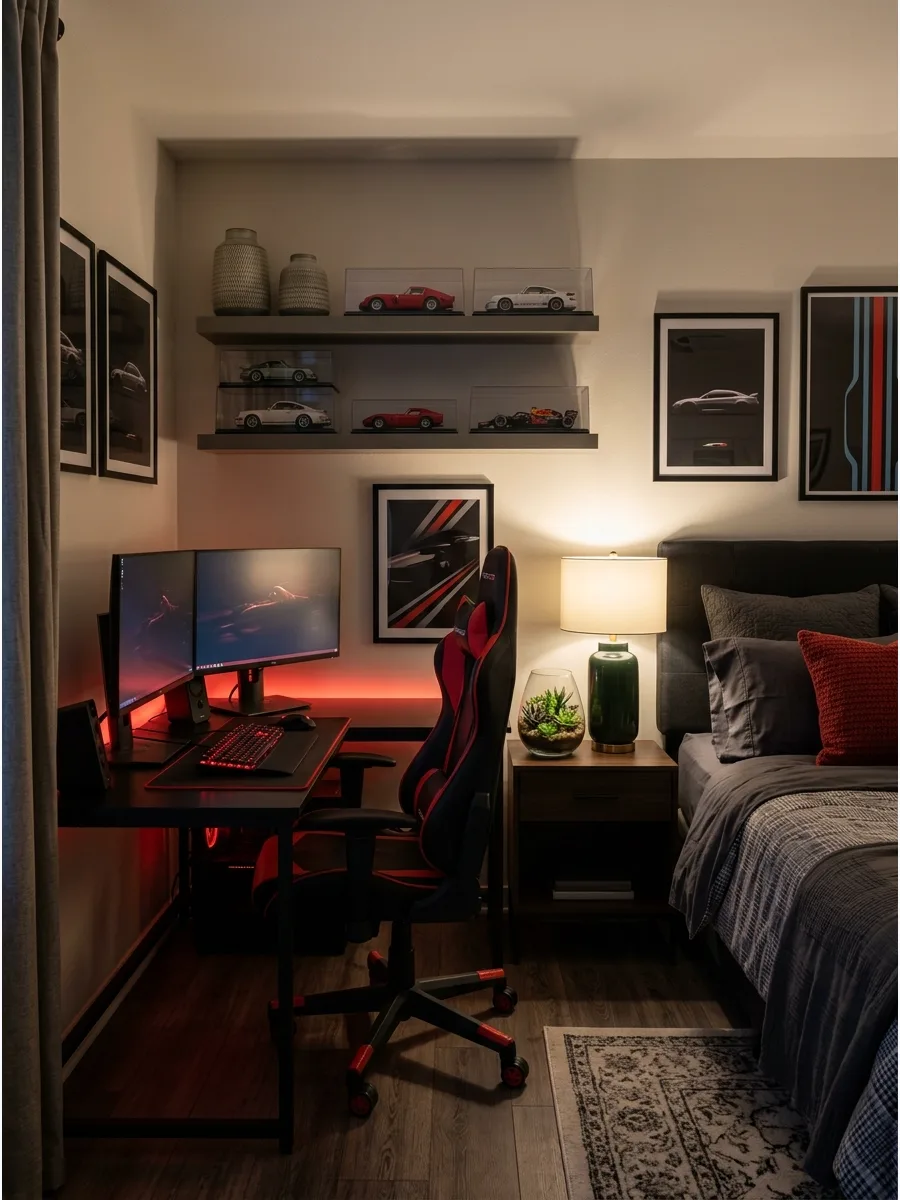
Use a racing chair, car posters, black-red accents, and a clean desk setup for a racing game theme.
The ergonomic chair provides great support for long hours while setting the tone for the room. Stick to a two-color palette like black and red to keep the theme consistent. A dedicated chair is the single most important upgrade for comfort and the overall look.
- Budget: $150 – $400; Sourcing: Office supply or gaming specialty stores.
- Logistics: Ensure the chair has adjustable armrests to fit under the desk when not in use.
- Adaptation: Add a lumbar support pillow to a standard office chair if a full racing chair is out of budget.
Best shortcut: Choose a chair with 4D armrests to perfectly align with your desk height and reduce wrist strain.
46. Minecraft Inspired Gaming Room
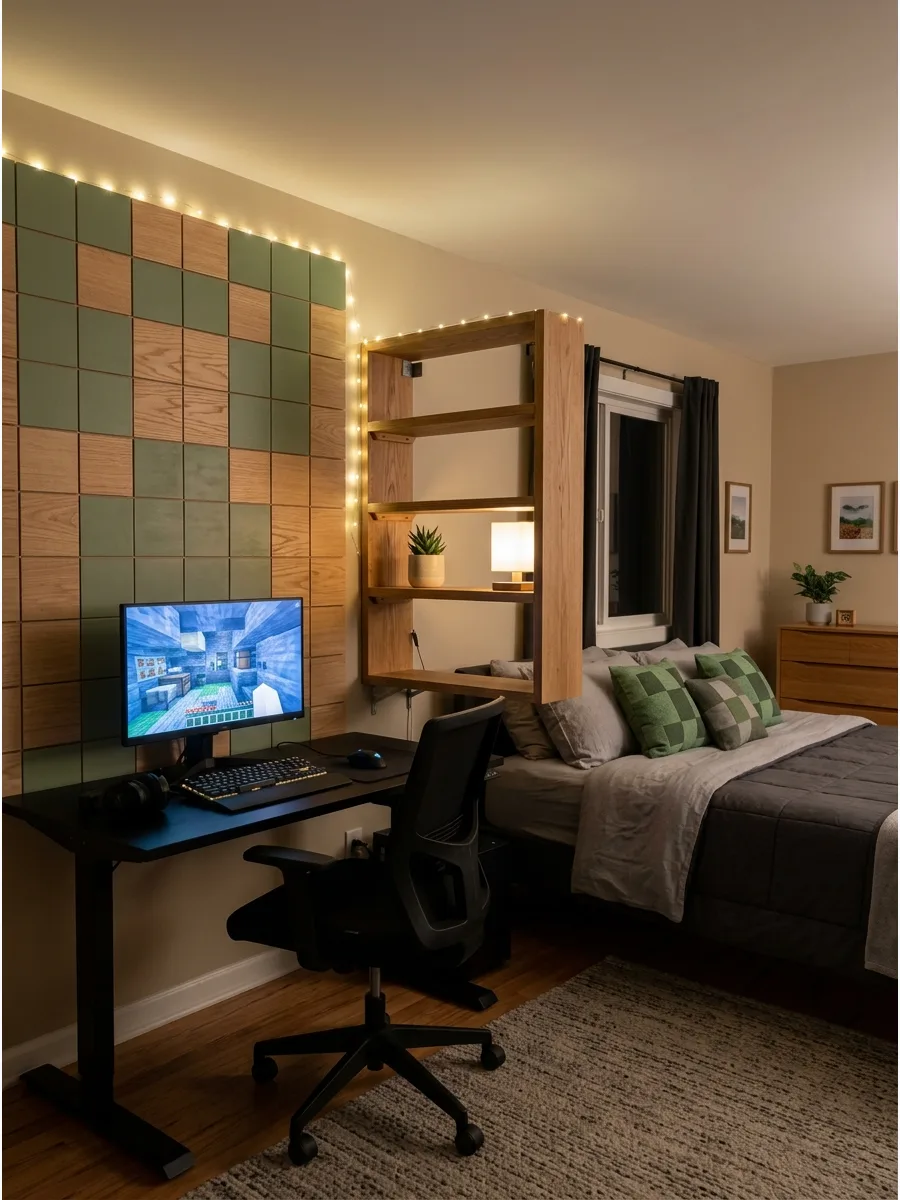
Bring a digital world to life by using block-style furniture and geometric patterns. Use square-shaped shelving units and green accent pillows to mimic the iconic look without overwhelming the space.
Mount square wooden wall tiles in shades of green and brown to create a custom pixelated backdrop behind the monitor. This approach keeps the theme sophisticated and prevents the room from feeling like a child's playroom.
- Budget: $100 to $300 for wall decor and themed textiles.
- Setup: Align square tiles using a laser level to ensure the grid stays perfectly straight.
- Adaptation: Use peel-and-stick felt squares for a renter-friendly version that also improves sound quality.
Most people skip this: Use square-shaped storage bins in cubby shelves to reinforce the blocky aesthetic while hiding clutter.
47. Futuristic White Gaming Room
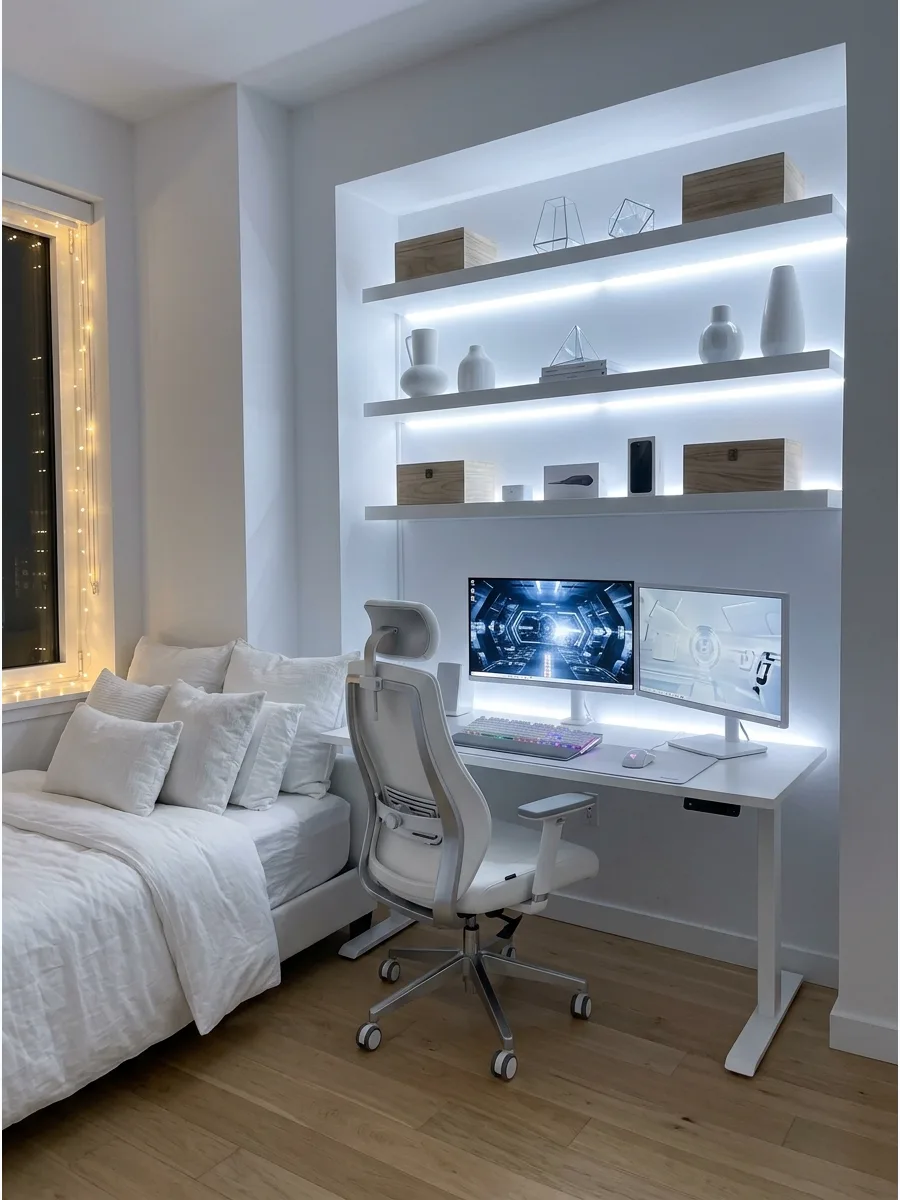
A monochrome white palette makes a bedroom feel larger and more organized. Use a glossy white desk paired with silver or brushed metal accents for a high-tech, futuristic vibe.
Install cool white LED strips along the back edge of white floating shelves to create a floating glow effect. This setup works best when the bed linens match the crisp white of the furniture to maintain a seamless look.
- Budget: $500 plus for high-quality white furniture and tech gear.
- Setup: Wipe down all white surfaces daily with a microfiber cloth to prevent visible dust buildup.
- Adaptation: Add a single light gray throw blanket to the bed to add depth without breaking the monochrome theme.
Quick win: Choose white-cased computer components and monitors to prevent dark hardware from breaking the clean visual line.
48. Dark Green Gaming Bedroom
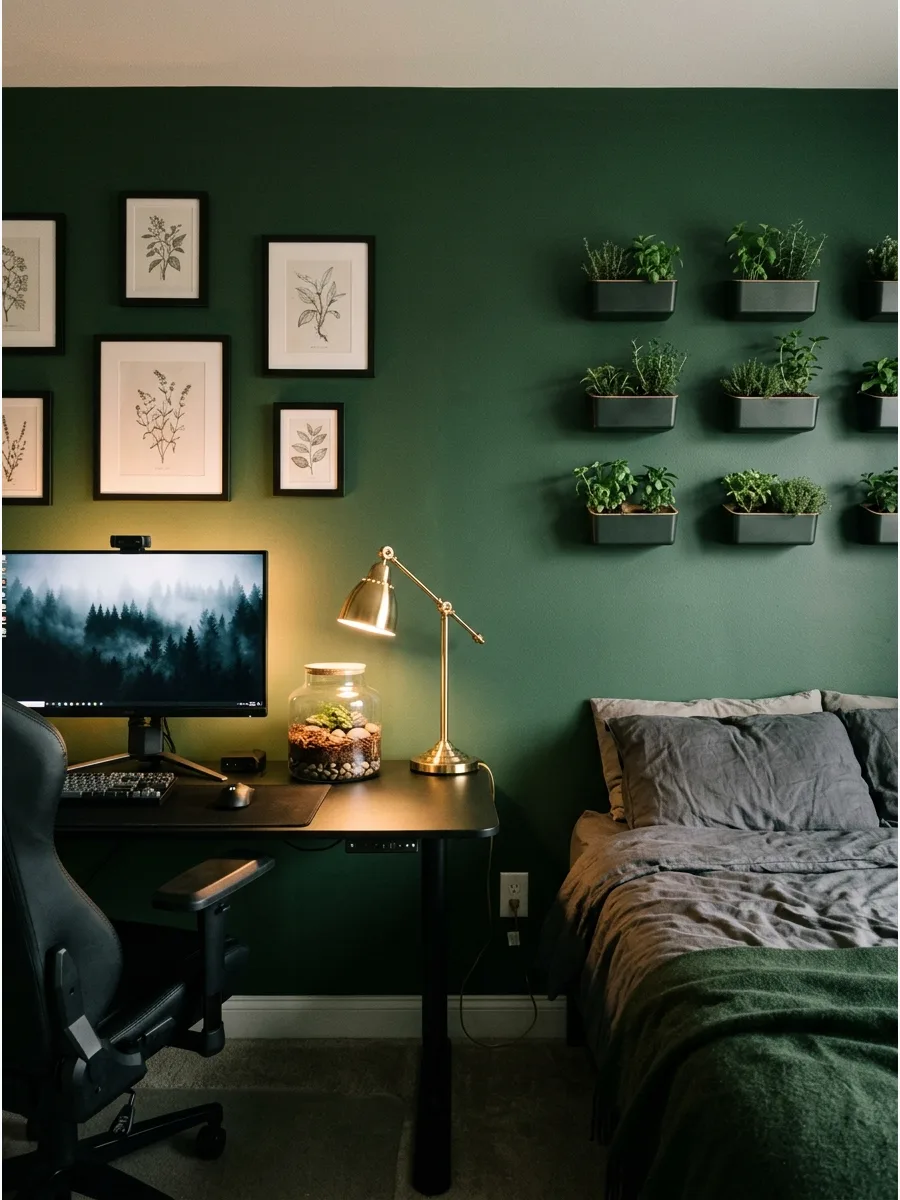
Deep forest or emerald green walls create a sophisticated backdrop that absorbs screen glare perfectly. Pair this color with matte black furniture and warm brass accents to keep the room feeling like a cozy sanctuary.
Paint the wall behind the desk a matte dark green to make the colors on the gaming monitor pop. This color choice balances the high-energy gaming world with the calming nature of a bedroom.
- Budget: $50 to $100 for a gallon of premium matte paint and supplies.
- Setup: Use a low-sheen matte finish to prevent the monitor light from reflecting off the wall surface.
- Adaptation: If painting is not an option, use a large dark green tapestry or oversized canvas art to cover the wall.
Best shortcut: Add a few real or high-quality faux plants with dark leaves to blend the tech gear into the green color scheme.
49. Hidden Gaming Storage
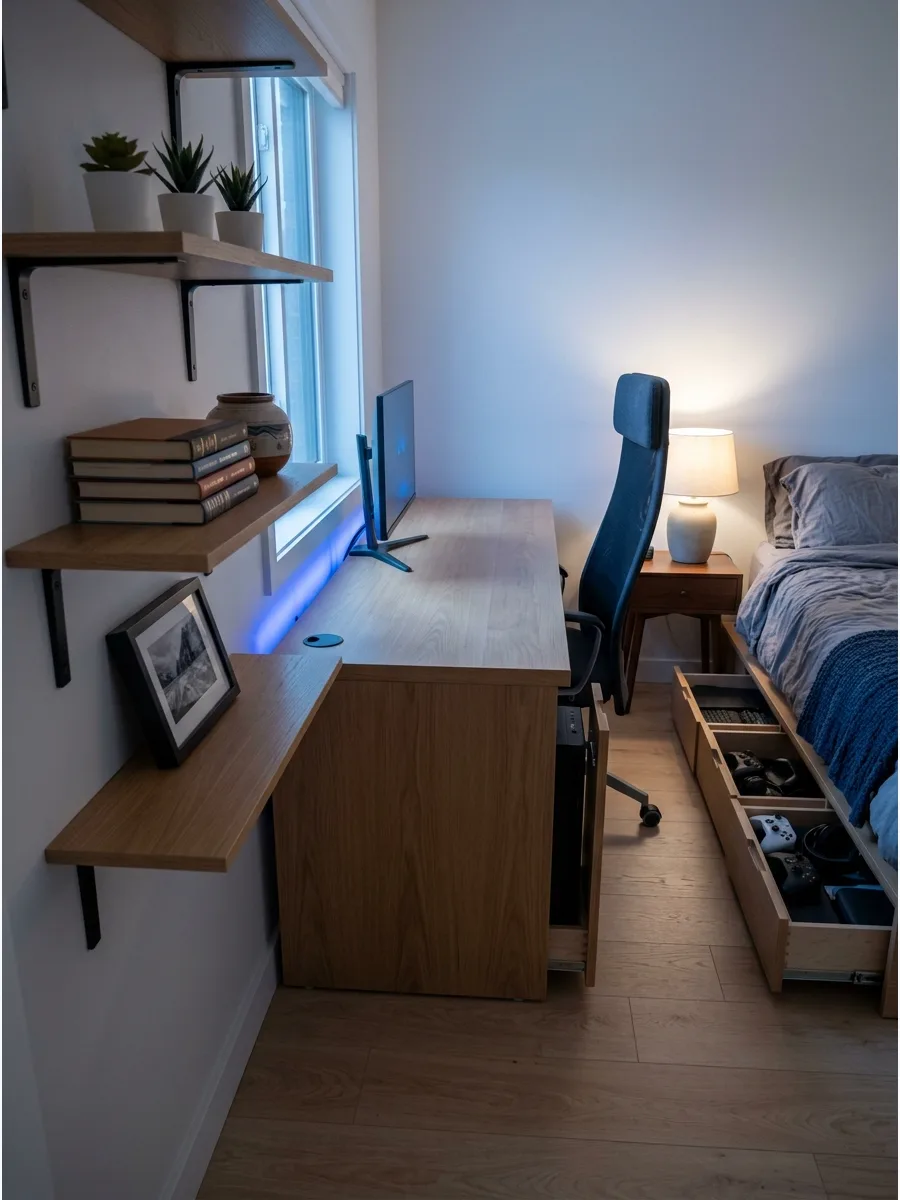
Keep the bedroom relaxing by tucking away controllers, wires, and consoles when they are not in use. Use a bed frame with built-in drawers or a desk with a deep cabinet to house the PC tower and extra peripherals.
Route all power cables through a single hole in the desk surface into a cable management box hidden underneath. This prevents the tech graveyard look and keeps the floor clear for walking.
- Budget: $20 to $50 for cable boxes and cord organizers.
- Setup: Label every cord inside the storage box so troubleshooting is easy without unplugging everything.
- Adaptation: Use a decorative wicker basket with a lid next to the desk for a soft way to hide bulky VR headsets.
Most people skip this: Install a power strip inside a desk drawer so you can charge controllers out of sight.
50. Gaming Display Shelf Wall
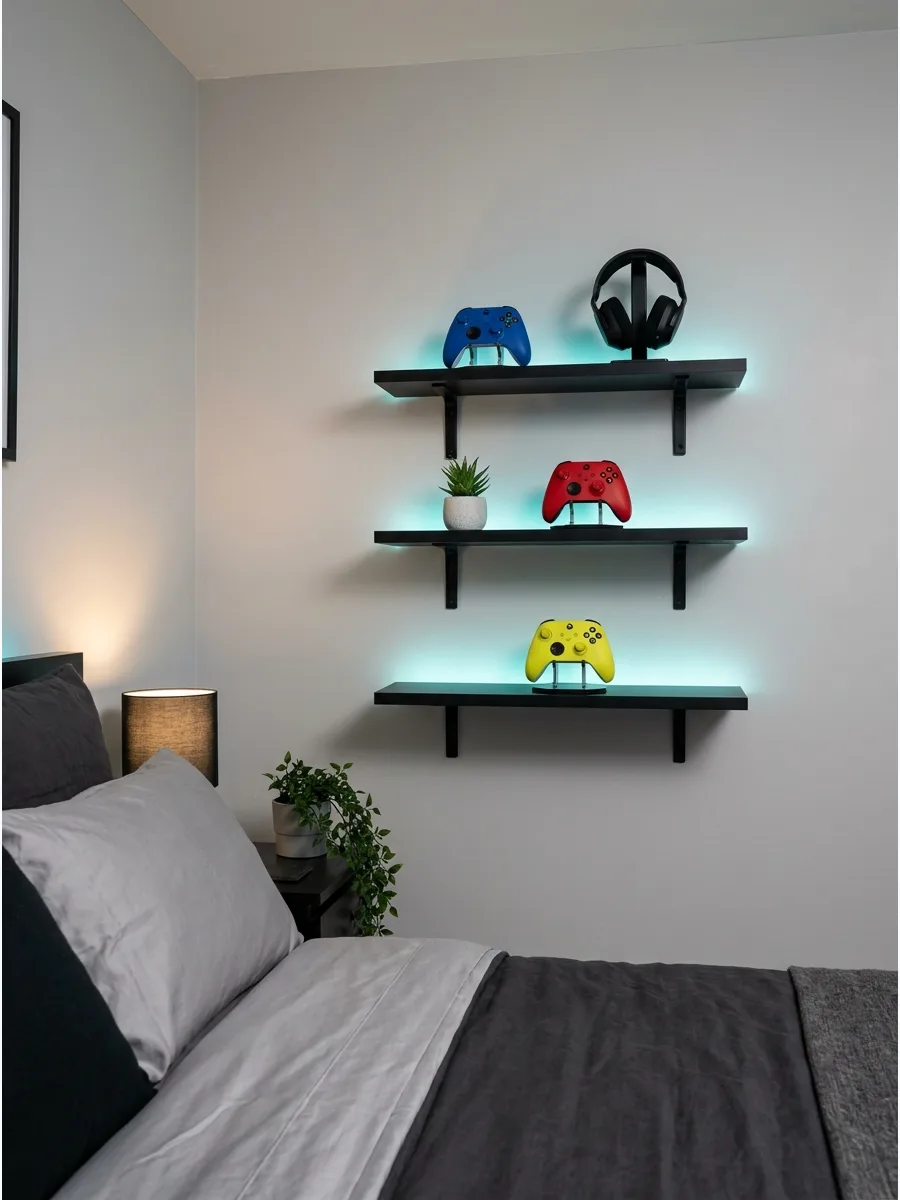
Turn your collection into intentional decor by using vertical wall space for storage. Install sturdy floating shelves or a pegboard system to showcase limited-edition controllers, headsets, and physical game cases.
Arrange gaming collectibles by color or size on wall-mounted shelves to create a gallery-style focal point. This keeps the desk surface completely clear for actual gameplay while adding personality to the room.
- Budget: $40 to $120 depending on the number of shelves and mounting hardware.
- Setup: Use heavy-duty wall anchors to ensure the shelves can handle the weight of consoles or heavy collectibles.
- Adaptation: For renters, use a tall and narrow bookcase secured with furniture straps to get the same vertical look without many holes.
Quick win: Place small battery-operated puck lights under each shelf to highlight your favorite items at night.
Frequently Asked Questions
How do I fit a gaming desk in a small bedroom without it feeling cramped?
Maximize your floor plan by choosing a corner desk or converting a closet into a 'cloffice' to keep the setup tucked away. Utilizing vertical space with wall-mounted shelving for your tower and peripherals will help maintain an open, airy feel in the room.
What is the best lighting for a gaming bedroom that won't ruin my sleep?
Use smart bulbs that allow you to switch from immersive RGB colors to warm, soft white tones as you wind down for the evening. Adding bias lighting behind your monitor is also a practical way to reduce eye strain without flooding the room with harsh blue light.
How can I hide messy PC cables in a stylish bedroom?
Install under-desk cable management trays and use matching cable sleeves to bundle cords into a single, clean line. For a truly minimalist look, invest in wireless peripherals and use adhesive clips to route remaining power cables discreetly along the back of your furniture.
Can I have a gaming bedroom that doesn't look 'childish'?
You can create a sophisticated space by adopting 'Dark Academia' or 'Scandi-Gamer' aesthetics that prioritize high-quality wood, neutral textures, and sleek hardware. Focus on a cohesive color palette and integrated tech that feels like a natural extension of your home's mature decor.
Where should I place my bed in relation to my gaming setup?
Position your desk perpendicular to your bed to ensure monitor glare doesn't interfere with your relaxation or sleep. Make sure to leave at least two feet of walking space between the bed and the gaming chair so the room remains easy to navigate.